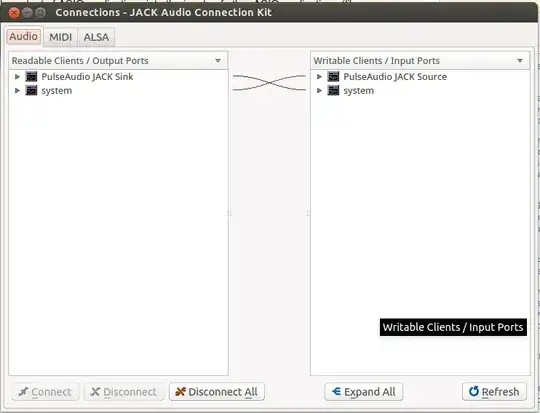
I'm using Jack 1.9.10. I want to record system sound into Ableton, and don't want to plug a cable from line out to line in.
I start PortAudio, I turn on JACK Audio Connection Kit, it is already started. (It's all set up for portaudio default default default.)
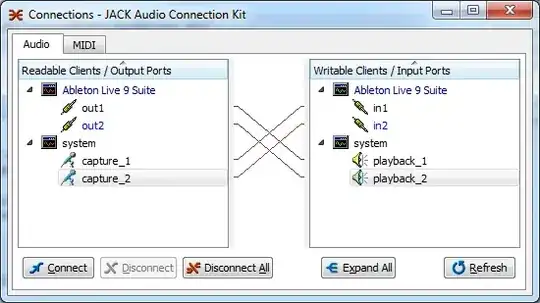
Ok, but now what?
In Ableton, I don't see any sound coming in via the 1/2 channels,
From the Docs:
"You can route the output of ASIO applications into the inputs of other ASIO applications (like a VST host application), and then connect the audio output of that application to your system output (or a combination of both)."
Ok, so system's capture_1, capture_2 is going into Ableton's 1 and 2, but I kind of want system's playback_1 and playback_2 to go into Ableton's 1 and 2? That's not happening.
Ok I'm stuck. Anyone got to this point and worked out the final step?

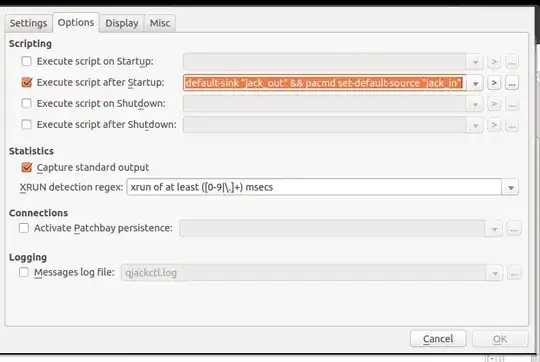 what it does is set up a jack source and sink and route your system audio through these