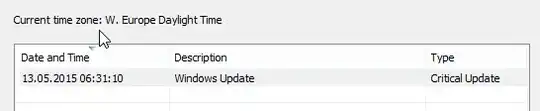
Windows auto-update has killed my wifi. Its a new machine and I forgot to turn auto-update off. I've had this machine for a month and everything has been A-OK. The last updates, 13/5/2015, killed wifi and now my connection is reported as "limited".
I ran the troubleshooter -> ip config invalid.
I've done the adapter update -> best driver already installed.
I tried to manually select, in case M$ had replaced it, but there was only one entry.
The roll back option was disabled.
After googling I tried disabling auto tune, but that didnt work.
Any ideas, other than destroying M$ for making the world a terrible place?
Adapter: Intel(R) Dual Band Wireless-AC 7265
Driver provider: Intel
Driver date: 21/7/2014
Driver version: 17.1.0.19
EDIT:
Tried latest driver from Dell -> no luck.
Tried latest driver from intel (17.16.0.4) -> no luck
Tried TCP/IP stack reset and got...
C:\Windows\system32>netsh int ip reset c:\resetlog.txt
Resetting Global, OK!
Resetting Interface, OK!
Resetting Unicast Address, OK!
Resetting Neighbor, OK!
Resetting Path, OK!
Resetting Route, OK!
Resetting , failed.
Access is denied.

Resetting , OK!
Restart the computer to complete this action.
EDIT:
Followed TD.512's reg edit and stack reset now works.
EDIT:
Don't know if anything else helped but last thing I checked was the channel. They weren't aligned. Now adapter/router have same value and it works ;(