This command:
WMIC CPU Get /Format:List
says that the machine has 6 cores, yet looking at the CPU Usage History in the Task Manager, there are 12 windows, not 6.
Why the discrepancy?
HP z600 - Windows 7
This command:
WMIC CPU Get /Format:List
says that the machine has 6 cores, yet looking at the CPU Usage History in the Task Manager, there are 12 windows, not 6.
Why the discrepancy?
HP z600 - Windows 7

This could be a result of HyperThreading, where there are multiple virtual cores per each physical CPU core.

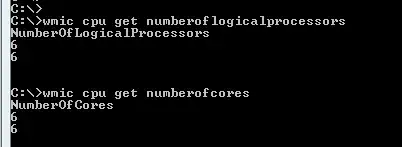
wmic cpu get numberoflogicalprocessors
That will return your logical processors. This includes HyperThreading on Intel processors.
If you want Physical cores (including multiple processor setups you can use:
wmic cpu get numberofcores
Windows Task Manager (At least through Windows 7) will show logical cores, not physical cores. This is because the Operating System treats all logical processors the same in its task scheduling.

