I have a spreadsheet that looks like this:

I want to automatically transform it to this:
 :
:
I know I can transpose it using this Window:
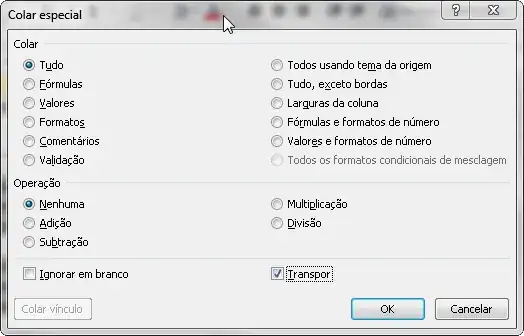
But the result is like this:

How can I get what I described?
I have a spreadsheet that looks like this:
I want to automatically transform it to this:
:
I know I can transpose it using this Window:
But the result is like this:
How can I get what I described?

You are trying to "unpivot" the data, as described in this question.
In your case, you'll need to add an extra column so the unpivot process works properly:

Press Alt+D then P to start the Pivot Table and Pivot Chart Wizard.
Select Multiple consolidation ranges and PivotTable:

Select I will create the page fields:

Specify the worksheet range:

Specify the destination as New worksheet and then Finish.
You'll now be presented with a new worksheet (that doesn't look very much like the data you want... yet):

Now comes the magic - double-click on the cell I've highlighted in red - the intersection of the grand totals and you'll get a new worksheet containing your original data the way you want.


