12

How can I run DISM agaisnt a USB Windows installer to repair my local Windows files?

This is what I tried in Windows 8.1:

DISM /Online /Cleanup-Image /RestoreHealth

It returns error 0x800f081f:
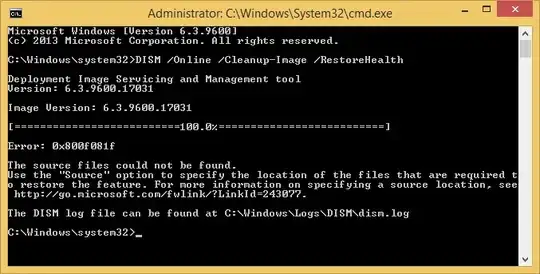
enter image description here

Note that my WinSxS folder has several folders and sizes 6.88 GB, however DISM won't detect it.

I understand that a healthy source can be a Windows USB Installer.

How can I do this?

Ƭᴇcʜιᴇ007
  • 111,883
  • 19
  • 201
  • 268
Gabriel
  • 2,860
  • 11
  • 36
  • 51
  • `/restorehealth` is not about detecting `%WinDir%\WinSxS`, but about verifying the system file backups within it against known good sources, preferably via Windows Update (which is why this requires an internet connection), or as a last resort, an `install.wim`/`install.esd`. _The Component Store [WinSxS] should never be entered into or modified by a user._ Once `DISM` has verified there's no corruption in WinSxS, `SFC` can then be utilized to compare the system files within `%WinDir%` against the known good copies contained within the Component Store [WinSxS] and replace them as necessary. – JW0914 Dec 28 '19 at 06:01

1 Answers1

22

You can point to the WIM file of the Windows 8.1 RTM DVD:

Dism /Online /Cleanup-Image /RestoreHealth /source:wim:D:\sources\install.wim:1 /limitaccess

(where D: is your Windows DVD drive or mounted Win8.1 ISO)

Dave
  • 25,297
  • 10
  • 57
  • 69
magicandre1981
  • 97,301
  • 30
  • 179
  • 245