I am wondering how I can shrink my C: volume past 3258MB as I have a 1.79TB Harddrive with 1.57TB free, and I would like to install Ubuntu 14.04 alongside Windows 7
How can I go about doing this?
I am wondering how I can shrink my C: volume past 3258MB as I have a 1.79TB Harddrive with 1.57TB free, and I would like to install Ubuntu 14.04 alongside Windows 7
How can I go about doing this?

There is many tools for that like disk management :start menu =>right click on computer => manage
You can also try a demo and desinstall it right after
I recently use
[http://www.partition-tool.com/resource/resize-partition-windows-7.htm]
whith success: i needed to remove space from my linux partiton (because of farcry 4)

If you're asking how to shrink your C drive, then you can use Disk Management.
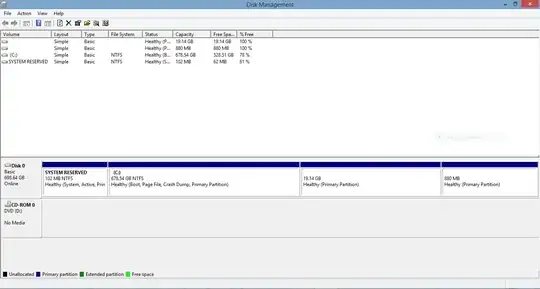
Right-click on (C:) under Volume, choose Shrink Volume.
Enter the desired size you want to shrink from C: (in MB, 1GB=1024MB).
You should then see a "block" of Unallocated Space of the size you chose (in black) appear underneath.
Note 1: If an error pops up saying Windows cannot shrink past x MB, then refer to Techie's answer.
Note 2: Doesn't Ubuntu require a minimum of 5GB of space?
