0

Recently I have so much problem with windows 8.1 updated I even reinstall new one but I still have the problem.

My problem is that with even 4 gig of ram my system goes on low ram and force closing chrome or Viber messenger or etc. It uses too much page file and disk and it is making me crazy.

I found Crysis on Windows 8.1 triggers low-memory warning

and Windows 8.1 Update 1 Disk Usage 100%.

I think we're on the same problem but disabling page file and not hibernating or disabling error dialog is not what solves the problem.

I need a main answer to make it work like as it is before.

My error is
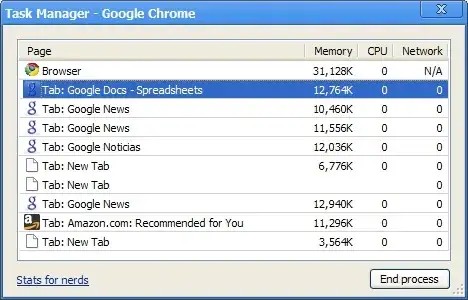
windows 8.1 low ram problem

I installed this Windows like last 2 night but after one day and 19 hours it start low memory problem.

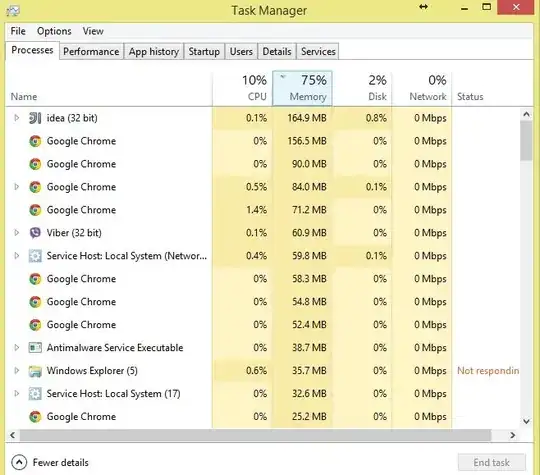
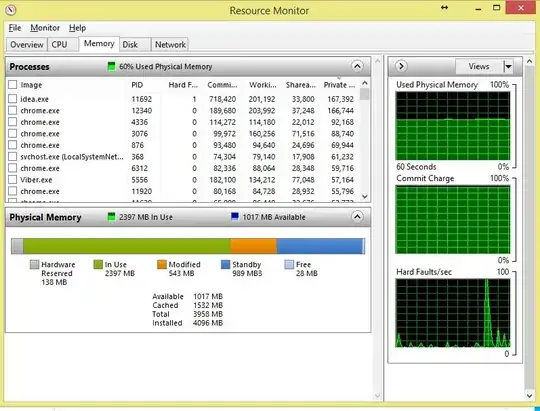
Update IDE is fine it uses 160MB ram and I have new project opened that just created hare is more info enter image description here enter image description here enter image description here enter image description here
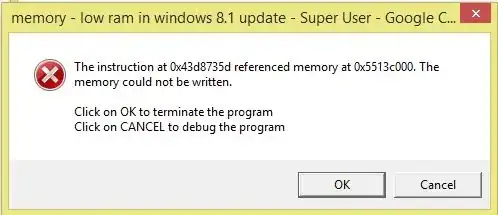
Update I got new error and it closed chrome. My chrome is (Version 37.0.2062.124 m (64-bit)) enter image description here
Update I forced to restart. Almost nothing worked and my screen went black. I just have task bar after restarting my page file changed to 3.4/52 GB but I still have 64% ram full with only (chrome net limiter task manager team viewer and some other simple program). It's somehow crazy.

Driver update

I updated all my drivers like 16 with driver pack solution and it seems that it is much better. I will test it again like 1 day and tell you how it is.

Update After updating driver I still have the same problem I even uninstall Intel rapid storage technology but nothing.

I even customize page files put it in 1024 and 2048 but I still have problem.

I do not know what to do please help me I'm a programmer and I need my laptop like 8 hour a day and I can't continue like this.

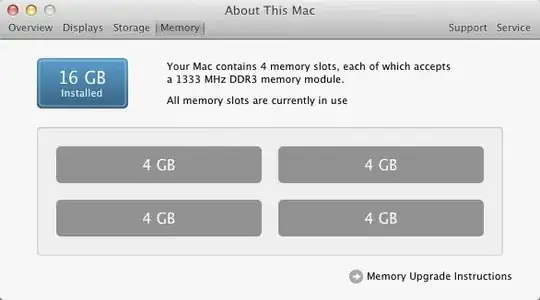
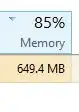
Update I still have the same problem something eating my ram compare these images they're for the same time I have 4 GB of ram but .... enter image description here enter image description here
Adding rammap record http://www.firedrive.com/file/E0D40919644872EA

Update committed size hear is program by committed committed sort ram details
M at
  • 558
  • 1
  • 6
  • 18
  • 2
    You need to provide more information about which applications are using your memory. – Ramhound Sep 25 '14 at 16:30
  • is doesent matter but last time i i just have chrome with 15 tabs and viber messenger , task manager , recourse manager , windows defender , inteliJ IDE , teamviewr , netlimiter ,daemon tools , and some windows explorer and control panel like 1.5 gig but i went on full memory – M at Sep 25 '14 at 16:35
  • What tools have you used to diagnose the behavior? If it didn't matter then I wouldn't have asked the question. – Ramhound Sep 25 '14 at 16:44
  • Looks like you are running into user space memory exhaustion, not system RAM exhaustion. If you're using an IDE like IDEA, then it could be something your programming. As @Ramhound suggests, we need WAY more information. You say you have the Task Manager and Resource [Monitor] open; what are they telling you about the resources IDEA.exe is using (for example)? – Ƭᴇcʜιᴇ007 Sep 25 '14 at 16:46
  • idea is fine i added more info please see them thanks – M at Sep 25 '14 at 18:13
  • 1
    This could be a broken driver. I'd suggest trying to update all your drivers, particularly graphics or wireless drivers. – David Schwartz Sep 25 '14 at 18:19
  • my wifi driver is updated and my graphics driver is 334.98 it was fine before i have dell vostro 3300 – M at Sep 25 '14 at 18:23
  • 1
    wifi is a good candidate to cause it. Old Broadcom drivers causes such issues – magicandre1981 Sep 26 '14 at 04:14
  • let me see if there is any update for it but its new installed and windows couldn't update it – M at Sep 26 '14 at 07:12
  • please some one vote me up so i can recive more answer – M at Sep 27 '14 at 08:17
  • "please some one vote me up so i can recive more answer" - See: http://superuser.com/help/no-one-answers, and http://superuser.com/help/bounty – Ƭᴇcʜιᴇ007 Oct 02 '14 at 17:56
  • Has this machine EVER ran right? Do a `chkdsk` to ensure you have no drive/file-system corruption. Get MemTest86+ and test your RAM for a couple/few DAYS (aim for 48-72 hours of uninterrupted testing). Let us know the results.... – Ƭᴇcʜιᴇ007 Oct 02 '14 at 17:59
  • so much thanks but i try to update my question so people can help my and i have no bounty to share – M at Oct 02 '14 at 18:02
  • I have the same issue. My only luck, that I use this tablet only for reading. It cannot hold 1000 tabs in firefox without paging file, with 80% memory usage. I am just wondering what happens with the rest of the memory... It's certainly not hardware issue, it is the bios, windows, or one of the drivers I guess. I turned on the paging file again, and I will run windows updates asap. – inf3rno Jan 27 '15 at 00:33

2 Answers2

1

That warning is about low virtual memory and has nothing to do with physical memory (RAM). You can have plenty of RAM free, but reserved, and thus force the OS to refuse new allocations. You can usually solve this problem just by restoring paging file settings to their defaults.

David Schwartz
  • 61,528
  • 7
  • 100
  • 149
0

updating bios help my out from this ram effect but it put me to so much more problems like i forced to uninstall my wifi adapter driver and long windows welcome screen and etc but its better than nothing

M at
  • 558
  • 1
  • 6
  • 18
  • Why did you accept this answer if it didn't actually solve your problem? – Ramhound Oct 03 '14 at 08:41
  • It solved my problem (windows8.1 ram usage and comitted size) but it forced me to re install some of my drivers like wifi – M at Oct 03 '14 at 10:29
  • I read similar stories. Driver updates and bios updates helped there too... I guess win8 is okay and this is not a windows issue at all... – inf3rno Jan 27 '15 at 00:36
  • after switch back to windows 7 by using chrome and studio2013 and eclips the problem not solved – M at Jan 29 '15 at 19:08