Please see the two pictures below.
1) Chrome OK. I have CSS panel in HTML panel.

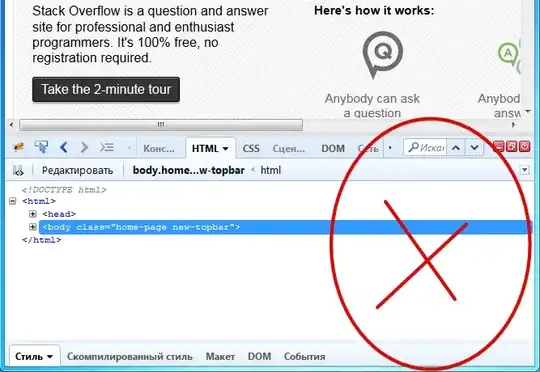
2) Firebug ISSUE. There is no CSS panel in HTML panel. How to make in appear?
Please see the two pictures below.
1) Chrome OK. I have CSS panel in HTML panel.
2) Firebug ISSUE. There is no CSS panel in HTML panel. How to make in appear?


If you click the arrow icon in the top-right of the Firebug window, it should show the Style options for you:

Edit:
In response to your question below, you can move the sidebar between the right and bottom of the screen by toggling the "Vertical Panels" option in the main Firebug menu:

I got the same view of @Green where the properties/variable was show in bottom.
I tried the option Vertical Panels but not solved for me.
So I solved with Reset Option ☺ :-D

