I want to merge my C drive with free space. But there isn't an option for this on Windows 8. Does anyone know how I would do this?
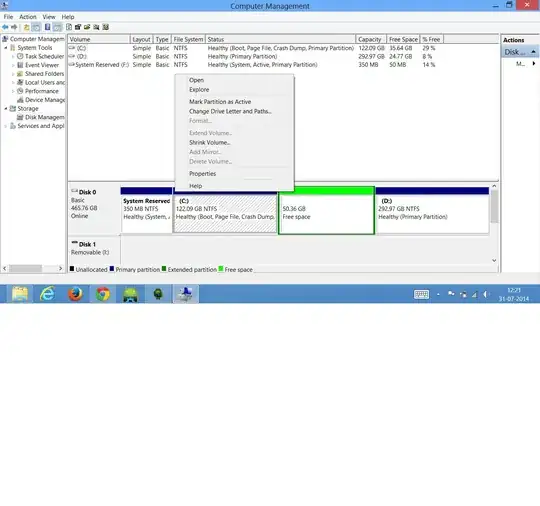
I want to merge my C drive with free space. But there isn't an option for this on Windows 8. Does anyone know how I would do this?


In order to extend a volume through the built-in disk management utility, there are some requirements. Here's what the documentation says:
For logical drives, boot, or system volumes, you can extend the volume only into contiguous space and only if the disk can be upgraded to a dynamic disk.
To extend a basic volume, it must either raw (not formatted with a file system), or it must be formatted with the NTFS file system.
Source: Extend a Basic Volume
In this case, what you need to do is to right-click the free space volume, and choose Delete Volume from the context menu. The space will become unallocated, and you should be able to extend the volume.

I've just now gone through a similar problem except that in my case the partitions weren't contiguous, meaning that I had a Recovery Partition between (C:) and the free space.
In order to merge the primary partition with the free space I combined the following two answers
So, I started by deleting the free space which then got me "unallocated space". After I removed the Recovery Partition using DiskPart. Then I was able to expand (this is what you mean with "merge") the primary partition just fine.
