19

Possible Duplicate:
Multiple versions of Internet Explorer on a machine

I want to install multiple versions of Internet Explorer on Windows 7. Specifically versions 6, 7, and 8. (Currently I've got 8 installed.)

How do I get those 3 versions installed side by side?

(I need to do this to test and debug a web application on multiple Internet Explorer versions so other solutions to this end are also appreciated.)

Guy
  • 4,007
  • 12
  • 44
  • 56
  • 2
    Duplicate: http://superuser.com/questions/17670/multiple-versions-of-internet-explorer-on-a-machine – ricbax Nov 24 '09 at 20:37
  • 2
    That question didn't deal with Windows 7 – Guy Nov 25 '09 at 04:02
  • What makes Windows 7 enought criteria for this not being a duplicate. ALl the answers in the duplicate will work. – BinaryMisfit Nov 25 '09 at 05:33
  • Windows 7 comes with Windows XP as a VM for backward compatibility. It may be that Windows 7 now has more developer tools to support multiple versions of IE. That's why I was specifically asking about Windows 7. – Guy Nov 27 '09 at 16:24

5 Answers5

9

I need to do this to test and debug a web application on multiple Internet Explorer versions

For this purpose Microsoft offers a variety of Internet Explorer Application Compatibility VPC Images, which are VHDs to be used with MS Virtual PC, they are pre-activated and free.

Peter Mortensen
  • 12,090
  • 23
  • 70
  • 90
  • This is the official suggestion, yes, but I personally find VPC images to be overkill for something like this. – John Rudy Nov 24 '09 at 21:08
  • 1
    apart from being an 'overkill', it's a neat way to legally obtain virtual windows xp/vista computers. :) –  Nov 24 '09 at 21:45
  • The link in this answer is no longer working. – Ben Apr 05 '16 at 09:22
5

I've used MultipleIE in the past, but it's a bit of a pain since it's no longer supported, didn't support Vista and stopped at IE6.

I've been using IETester, but I find it to be somewhat crashy on Win7. There's probably an update I can run to fix that, though.

I'm looking into, and likely will switch to, the IE Collection. The IE Collection allows you to install any version of IE up to 8, yes dating all the way back to version 1 if you're feeling particularly self-punishing.

John Rudy
  • 3,447
  • 1
  • 29
  • 30
  • IETester apparently can only run IE10 if it's the default version on the host OS, only true for Windows 8. See here: http://www.my-debugbar.com/wiki/IETester/IE10Preview – enigment Jan 29 '15 at 18:51
3

If you're running Windows 7 you might be able to run Windows XP mode. With Windows XP mode you can have Internet Explorer 6 running side by side with your local Internet Explorer 8.

The only thing is that your computer and BIOS have to support Virtualization technology. Download Windows Virtual PC and Windows XP Windows Virtual PC and XP Mode.

Peter Mortensen
  • 12,090
  • 23
  • 70
  • 90
IT_07
  • 514
  • 1
  • 6
  • 12
  • IE 6 is the default version that comes with XP Mode, you can upgrade it to IE 7 and have that one run side by side with your local machines IE 8. – IT_07 Nov 25 '09 at 00:07
2

If it is just static web pages, your best bet is to use something like Browser Shots.

If you do not want this, you should probably look at virtualisation for testing different versions simultaneously, I know annoying, but it should work.

William Hilsum
  • 116,650
  • 19
  • 182
  • 266
2

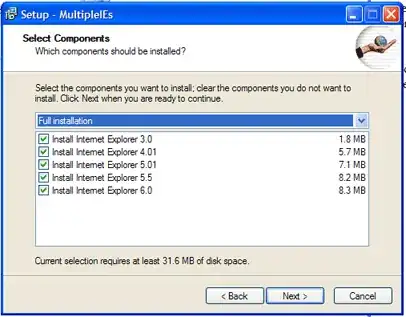
You might look at Install multiple versions of IE on your PC.

Although it dates from 2006 and goes up to IE6 only, it contains many pointers to articles and sites dealing with this problem.

image


Another and very simple solution is to use virtual machines, and install a different version of IE in each. You'll need to create a virtual machine of XP in order to find IE6 (or maybe the above utility will work for you).

Gaff
  • 18,569
  • 15
  • 57
  • 68
harrymc
  • 455,459
  • 31
  • 526
  • 924
  • does this work with Windows 7? i have tried it once with Vista and it didn't. –  Nov 24 '09 at 21:07
  • to answer my own question: probably not satisfactory. here is what the developer of MultipleIEs has to say:" I have actually succeeded in running an extremely crippled version of Internet Explorer 6 under Windows Vista ... Java script is buggy and the graphical user interfaces barely works." http://tredosoft.com/IE6_For_Vista_Part_1 –  Nov 24 '09 at 21:41
  • This product was very useful to me in the past, but may be getting a bit long in the tooth now. Constructing virtual machines is left as the best option. – harrymc Nov 25 '09 at 08:49