0

I've looked at other questions in the related bar and they're close but they don't help.

Anyway, I want to let one or two applications run as admin without getting this:

enter image description here

However, I only want to let a few applications bypass the prompt.

Obviously I want to let them keep admin UAC rights.

Jon
  • 9,181
  • 39
  • 95
  • 127
  • You can use the solution described in the following accepted answer http://gaming.stackexchange.com/questions/42747/how-do-i-stop-the-launcher-bringing-up-the-uac-prompt-every-time to patch any software you want. Any time an update is applied to the software you will have to patch it again. – Ramhound Jun 25 '13 at 11:40

1 Answers1

0

Use the old Task scheduler trick, which I use since Vista.

Go to Task scheduler Library and make a right click and click "New Folder" and type in "myTasks" to create a new folder.

Go to the folder and create a new task, select the checkbox "Run with highest priviligies". Give it a name like autoElevatePROGRAMNAME, go to the tab "Actions" and select the program you want to execute.

Now create a shortcut on the desktop with this content:

C:\Windows\System32\schtasks.exe /RUN /TN "myTasks\autoElevatePROGRAMNAME"

Now always start the programs with this link.

If this is too complicated, use this Tool which does all steps for you:

http://freeavvarea.r00t.la/UACPass-en
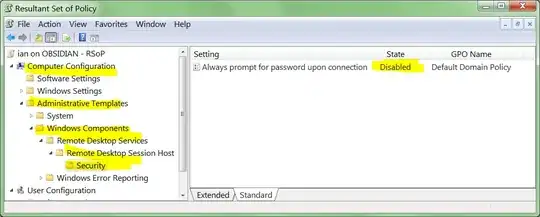
enter image description here

magicandre1981
  • 97,301
  • 30
  • 179
  • 245