I have some .vob files (entire VIDEO_TS folder of a DVD but not any other file or folder like AUDIO_TS, etc…) and I want to burn a disc compatible with a DVD player.
How can I do this? No DVD burner like PowerDVD helped.
I have some .vob files (entire VIDEO_TS folder of a DVD but not any other file or folder like AUDIO_TS, etc…) and I want to burn a disc compatible with a DVD player.
How can I do this? No DVD burner like PowerDVD helped.


My recommendation would be to use ImgBurn:
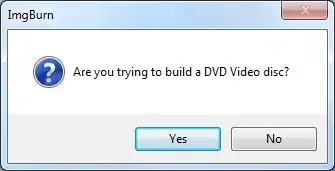
Basically you just need to select the VIDEO_TS folder and it'll help you select the right file system etc. with helpful prompts along the way:

If you need detailed guides:

If you have a Ubuntu/Debian/Linux/etc machine, you can use the solution suggested here to make an ISO file and then burn that to your DVD.
If you have only Windows, you may try converting the VOB files into a format usable by Windows Movie Maker, and then using WMM to create the DVD.

I have just resolved this problem for myself after tried and failed by many ways (switching DVD format types or converting to .mp4, .wmv, etc)
To make the DVD compatible with DVD player, my solution here is to use Free Video Converter on Windows. Sorry that I don't have solutions on Ubuntu for now.
Steps:
Video button and select the original .vob file, often named VIDEO_TSTo DVD and wait to see the magic happensGood luck

This is an old post, but for anyone still looking and seeing this page, the simplest method is to open Nero Express and select create a DVD movie, just drag and drop or copy the files and click burn and the whole thing is done for you automatically. It could not be easier. And Nero is available for Ubuntu too, but not for Mac.

There is nothing special about a DVD. It is just a regular DATA DVD.
(Not quite true, but usually the difference won't matter.)
Just burn a mode-2 DATA-DVD.
With a VIDEO_TS folder containing the VOB's and an empty AUDIO_TS folder.
99 out of a 100 DVD players will be happy with that.

You may refer to this step by step guide, it's regarding how to burn DVD files (Video_TS folder and Audio_TS folder) to DVD to play on regular DVD player, it's easy to understand and works pretty well for me.


