18

Is there any way to find out which process is using the GPU for intensive calculations? (OpenCL, CUDA, etc? Primarily OpenCL?)

e.g. if you run an OpenCL-powered video transcoder, you'll see nothing in your task manager that tells your GPU is burning through data at a ridiculous rate - though your fans will have kicked into overdrive.

If the reply is driver-specific, I am interested in nVidia primarily.

Hennes
  • 64,768
  • 7
  • 111
  • 168
Mahmoud Al-Qudsi
  • 3,766
  • 4
  • 35
  • 39

3 Answers3

19

Turns out Sysinternals' Process Explorer can do this (of course it can, there's nothing it can't do, apparently!).

Process Explorer GPU load by process

Mahmoud Al-Qudsi
  • 3,766
  • 4
  • 35
  • 39
8

Process Hacker, the open source alternative to Process Explorer, also shows the GPU usage.

Press CTRL+I to get the system information Window and click on the GPU Tab, so get a graph with the GPU usage.

enter image description here

magicandre1981
  • 97,301
  • 30
  • 179
  • 245
1

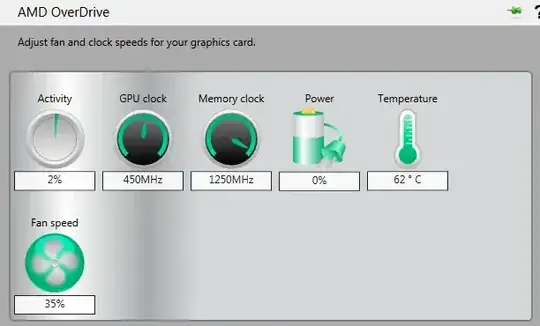
AMD Catalyst Control Center has an indicator of GPU activity in the Performance section. I would assume nVidia software has a similar output. It's usually associated with overclocking.

enter image description here

Otherwise you can download the free GPU-Z. It includes a GPU Load output.

enter image description here

Brad Patton
  • 10,540
  • 12
  • 40
  • 68