Is there a quick way to change the volume while inside of the new UI?
Asked
Active
Viewed 1,407 times
0


-
Are you using a PC or laptop. If its laptop then `Fn+down/up arrow` will work like a chram. – avirk Nov 12 '12 at 08:36
-
Depends on the laptop. The Fn key is a feature of the keyboard and not visible to the OS. And the Fn keybindings are different for each manufacturer. – Joey Nov 12 '12 at 21:10
2 Answers
5
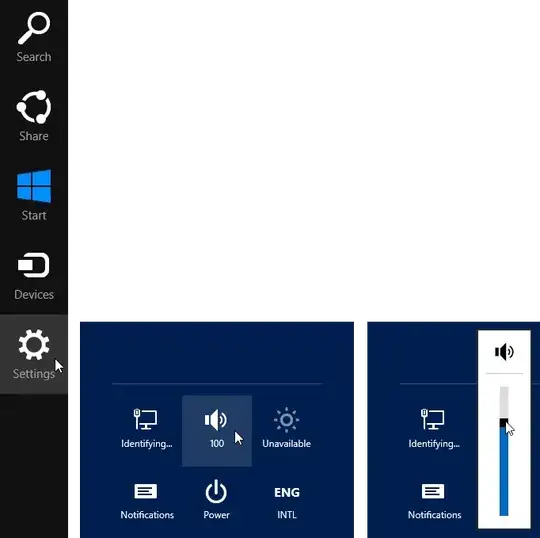
You can press  +C to access the Charms bar, then click “Settings” and adjust the volume from there. This also has the nice property of working well with fullscreen applications, such as games.

Joey
- 40,002
- 15
- 104
- 126
