1

Pausing and playing music inside the Xbox Music app on Windows 8 takes a minimum of three clicks from the desktop. If I were to purchase a Multimedia keyboard with pause, play, fast forward, and rewind buttons, would they work while being at the Desktop?

If I don't own a multimedia keyboard, would I be able to use something like AutoHotkey to achieve the same result?

cowgod
  • 1,854
  • 3
  • 15
  • 23

1 Answers1

7

It works for me.

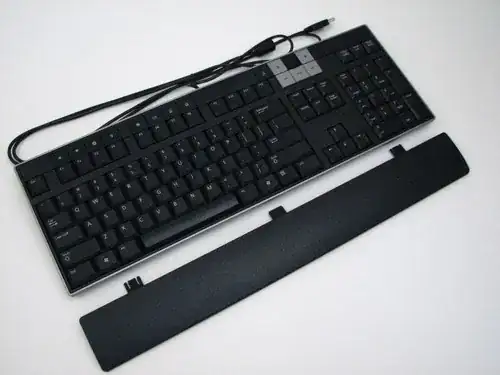
I can speak from my experience. I have a Dell keyboard that looks like this:

Dell keyboard

Above the Insert and Home keys there is a block of multimedia control keys: Play/Pause, Stop, Skip Back, Skip Forward.

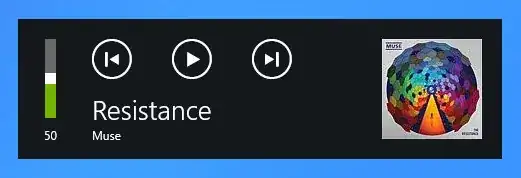
If I have music playing in the Music app, these keys work as expected. When I use them I get visual feedback, too. In the top-left corner of the screen, where the volume display normally shows, information about what is playing is added whenever I press those multimedia keys on the keyboard.

On-screen display

No multimedia keyboard?

Take a look at this answer to see how to use AutoHotKey to remap available key combinations to send the multimedia key codes your keyboard cannot produce natively.

William Jackson
  • 8,344
  • 1
  • 37
  • 45
  • I upvoted this just for Muse. (Nice screenshots and good answer, though.) – Bob Nov 02 '12 at 03:06
  • Using another Dell keyboard with media keys, I can confirm this works. For integrated media keys in laptops, it depends on the laptot, drivers, etc.. – Rodrigo Chiong Apr 29 '14 at 16:10