Depending on the specific implementation of the portal, you might not even need any additional software.
Note: this solution requires basic knowledge of HTTP and the dev panel of your browser. The second link is for Chrome; if you use other browsers a quick search should take you there easily. You should also be not afraid to use the command line interface, although you certainly do not need to be an expert.
Fundamentally, the captive portal is just a HTML webpage. When you enter your authentication details and submit, your browser is simply sending a HTTP request (likely either GET or POST) with your credentials to a preconfigured URL. This of course can be achieved using command line tools, and thereby automated using Windows Scheduler as other answers have mentioned.
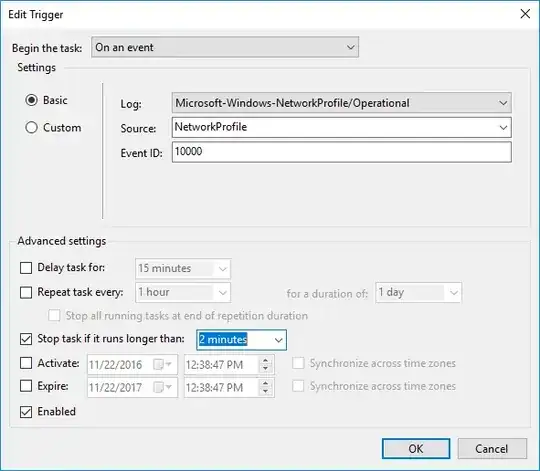
Fortunately, since 2018 Windows 10 has shipped with the curl utility, which allows you to send arbitrary HTTP requests. So what you can do is inspect the request your browser sends when you submit your credentials through the portal, and compose a curl command that sends the same request. See how to send a POST request using curl here. Then you can save the command in a .bat file, and set it to run when you connect to a network using the Task Scheduler. @Menasheh has provided a simple guide so I won't repeat this part.
However this solution is not guaranteed to work on every network, since a more sophisticated portal could be performing various checks on the request such as timestamping or tokening. But it's worth a try nonetheless.
A potential attack vector of this solution is that since the Task Scheduler does not care which network you are connecting to, it will run this script when you connect to ANY network. This makes it so that there is a non-zero chance that an opportunistic attacker can set up a phishing attack on their own network. It has to be noted that the possibility of this is very small though, given that very few people run an automatic login setup like this. And there are mitigation techniques for this, such as setting up an HTTPS portal with a workplace-internal certificate, but this is out of the scope of this question.