5

Is there a way to detect locked files in specify folder and release them by command line? Something like this (pseudo code):

for file in folder
do 
   unlock file
done

Thanks

akira
  • 61,009
  • 17
  • 135
  • 165
David Michaeli
  • 151
  • 1
  • 2
  • Is it alright if third party programs are used? [Sysinternals Handle](http://technet.microsoft.com/en-us/sysinternals/bb896655) can be used to list and close open handles. Open file/folder handles are what 'locks' files/folders. And yes, it is a command line program. – Bob May 20 '12 at 09:53

1 Answers1

8

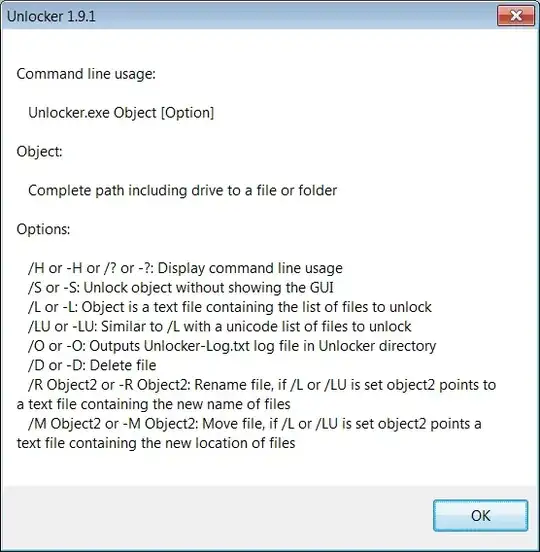
Yes, using Unlocker:

enter image description here

Simple use: unlocker file /s

Mr.Wizard
  • 1,359
  • 9
  • 20
  • Have you tried this? It doesn't seem to do anything. – Robert Ivanc Oct 01 '14 at 13:40
  • @Robert It has been some while since I last used this utility but at the time I found it effective. Are you running it with administrator permissions? – Mr.Wizard Oct 01 '14 at 15:50
  • unlocker requires a full path including drive letter, i use it like that: `unlocker %cd%\foldername /s` – c33s Mar 26 '16 at 00:08