Somehow I hit a magic key combination in Microsoft Lync that is sending strike-through text. When I look at the "A" icon (text properties), I don't see an option for strike-through.
How can I disable strike-through text in MS Lync?
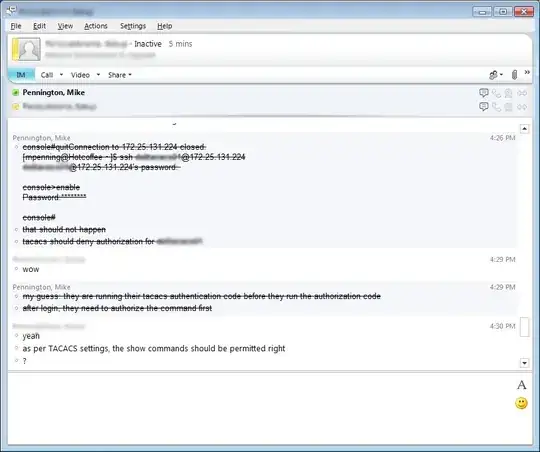
Somehow I hit a magic key combination in Microsoft Lync that is sending strike-through text. When I look at the "A" icon (text properties), I don't see an option for strike-through.
How can I disable strike-through text in MS Lync?


Ctrl+T is the keyboard shortcut for striking through text, according to this document from Microsoft. While it doesn't specify that it's a toggle, I would try pressing Ctrl+T again to see if that disables strikethrough.

Ctrl+Space will end the strikthrough.


I encountered the same issue, try using this: Press CTRL and press Z twice. I was able to get rid of strikethroughs.


Hit Ctrl+A will get rid of the strikethrough. If you hit Ctrl+T, you'll get the strikethrough again. It happened to me, and that's how I fixed it.

Right click in Text typing area and select 'Change IM Font' which will display Font setting pop up

