You can do that by setting a Menu Item shortcut key.
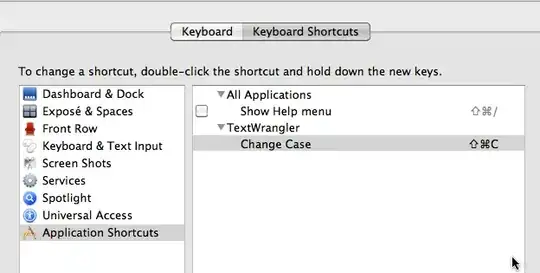
Under Snow Leopard, go to System Preferences > Keyboard
Click on the "Keyboard Shortcuts" tab, the the "+" sign at the bottom to assign a new shortcut.
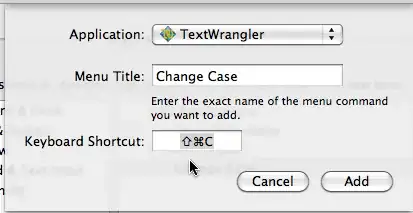
In "Application", choose "TextWrangler", for "Menu Title", type "Change Case", and put in your desired keyboard shortcut.
Your TextWrangler "Text" menu item should now show a new "Change Case" option with the keyboard shortcut assigned.
For Leopard 10.5, it is the same procedure, just that you go to System Preferences > Keyboard & Mouse, instead of System Preferences, Keyboard.


