0

I intend to use a small form factor PC with Windows 7 Professional installed as a network appliance attached directly to my customer's LAN without connecting a monitor, keyboard or mouse.

How should I configure the networking for my PC so that I can access it via say my laptop?

I figure that I can do it 2 ways.

  1. Attach my laptop to the PC using a crossover cable? Connect via RDP and configure networking.

  2. Configure an IP address on the PC before I deliver it to the customer place. At the customer's place, attach the PC to LAN and connect to the IP address which I previously configured from my laptop or from one of the customer's workstations.

I know the first way is doable, but is the second way possible? I'm sorry if this question sounds ridiculous - I am Delphi programmer but a novice on networking.

Finally, if possible, I hope to make the configuration process web based as I wouldn't like to reveal the fact that I am using Win7 Pro for the network appliance!

wizlog
  • 13,277
  • 24
  • 77
  • 116
Joshua Lim
  • 261
  • 3
  • 17
  • I fail to see how this is related to Delphi or even programming. –  Nov 15 '11 at 17:20
  • Boot without keyboard? It's impossible, AFAIK – Lazy Badger Nov 15 '11 at 21:08
  • @Lazy Badger, why is that impossible? It is very common for machines to be able to boot without keyboards, take a look at server farms for example. They all boot without input devices and all have remote access or a terminal that rolls around and plugs in when needed. – MaQleod Nov 17 '11 at 20:04
  • @MaQleod - I figure out that this is possible for new systems - http://social.technet.microsoft.com/Forums/en-US/w7itprohardware/thread/c98a1b82-db6c-4cab-8a67-d4a4ccad17e2 – Joshua Lim Nov 19 '11 at 05:15

2 Answers2

2

Here are a couple of tools that might help you out:

TeamViewer: Allows you to remotely access a PC over the net.

TeamViewer screen shot

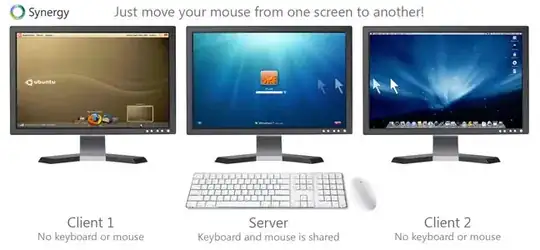
Synergy: Lets you share your mouse and keyboard between multiple computers on your desk. This won't share a monitor, but it's a good tool to have in your toolbox.

Image from Synergy site

braveterry
  • 803
  • 14
  • 18
1

Two additional options:

  • Bring a small keyboard/mouse/display with you for the initial setup
  • Request an IP you can use from the customer before installation, and configure it to use that IP in advance
Joel Coehoorn
  • 28,098
  • 14
  • 88
  • 133
  • The 2nd idea is good. I was thinking of attached the PC to my laptop using a cross cable and configure it using that method, do you think this is feasible? – Joshua Lim Nov 17 '11 at 08:46
  • @ Joel - we can access most router devices via a fixed IP address out from the box using a crossover cable, do you know how this is done? Are they running a DHCP server or something like that? Thanks. – Joshua Lim Nov 19 '11 at 05:18