I am aware of MacVim, and while it's very nice I am constantly in the terminal. Why have two programs running when I could stay in one?
So the question is, how can I make VIM (run in iTerm2) the default text editor?
I am aware of MacVim, and while it's very nice I am constantly in the terminal. Why have two programs running when I could stay in one?
So the question is, how can I make VIM (run in iTerm2) the default text editor?

See my answer here, but use a Run AppleScript action in Automator instead and use the following AppleScript code:
on run {input, parameters}
    if (count of input) > 0 then
        tell application "System Events"
            set runs to false
            try
                set p to application process "iTerm"
                set runs to true
            end try
        end tell
        tell application "iTerm"
            activate
            if (count of terminals) = 0 then
                set t to (make new terminal)
            else
                set t to current terminal
            end if
            tell t
                tell (make new session at the end of sessions)
                    exec command ("vim \"" & POSIX path of first item of input as text) & "\""
                end tell
                if not runs then
                    terminate first session
                end if
            end tell
        end tell
    end if
end run
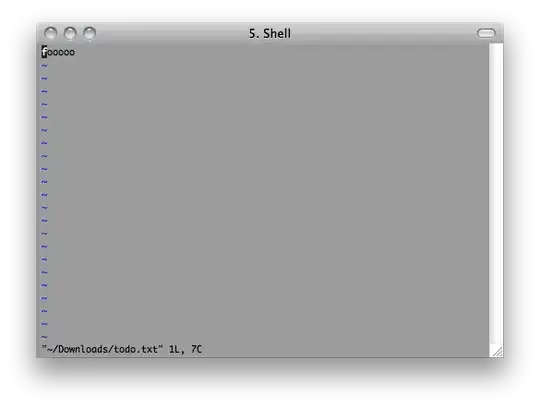
This'll open a new iTerm window if there's none, otherwise a new tab, and open the file in there. Result:

Following should work(it works for me):
write following two command in your ~/.bashrc if using bash shell OR in ~/.zshrc
export EDITOR=nano
export VISUAL="$EDITOR"
Ref: https://unix.stackexchange.com/questions/501862/how-can-i-set-the-default-editor-as-nano-on-my-mac

This is a very simple way to open files in terminal vim from iterm command click. It also jumps to the line number if it is specified. You will need to download one of the nightly builds to get the coprocess feature.
Click on: Preferences -> Profiles -> Advanced
Under "Semantic History", choose "Run coprocess..". In the text field, put: echo vim \1 +\2
source: https://coderwall.com/p/5hp1yg

i dont know if still you are looking for this or not but here is a very easy way to set your default editor to Vi on macos
just do set -o vi

