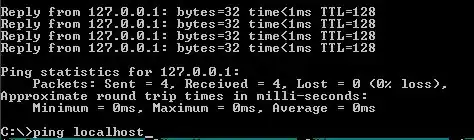
 Hi guys, how do I copy FAR-Manager's console output? For example when I use ping command I want to copy it's output text, but not image.
Oh, and I would like to do so with keyboard! :)
Hi guys, how do I copy FAR-Manager's console output? For example when I use ping command I want to copy it's output text, but not image.
Oh, and I would like to do so with keyboard! :)


Far Manager has a special key combination that starts the selection: Alt+Insert. Then follow steps 2 and 3 suggested by @grawity.

You do it the same way for all Windows Console programs:
Enter Mark mode: Alt+Space, E, K
Mark text using Shift+←↑↓→
Press Enter to copy, or Esc to cancel.
Alternatively, you can redirect the output of a specific command to a file:
ping > output.txt

in the far console, type
edit:<ping 127.0.0.1
instead of just
ping 127.0.0.1
it will execute the ping command and open the Far built-in editor with the output afterwards. You will be able to edit it as a normal text file
you can also use view:< instead of edit:< to open the built-in viewer, not editor

Hotkeys and scrolling during running command: you can use Ctrl+Shift+F3 to open history of output in built-in viewer or Ctrl+Shift+F4 to open it in built-in editor. This allows efficient commands output investigation, including scrolling possibility, using built-in viewer and editor capabilities.
From internal help

