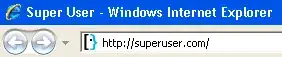
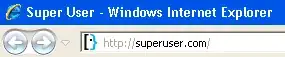
I have a screenshot of an IE web browser. My question is, how can I tell whether it's IE 7 or IE8?
I've looked on the net and all the different shots of 7 and 8 look the same.
I have a screenshot of an IE web browser. My question is, how can I tell whether it's IE 7 or IE8?
I've looked on the net and all the different shots of 7 and 8 look the same.


It is very hard to tell from just a screen shot. Initially I thought I spotted two differences, but as it seems I was wrong and there is only one.
IE7 screenshot:
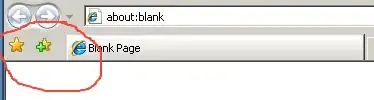
IE8 screenshot:
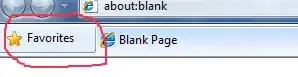
On a default installation, IE8 and IE7 display the favorites button differently. I am not sure if this is customizable, but without any customization it should look different.
You should use this only as a hint and not as a definitive way of telling the browser version. The look of a browser can be heavily modified using different plugins / themes.
(This was originally posted for the question on Stack Overflow, but the answer didn't get migrated along with the question.)

IE8 should have the compatability tag after the address bar.
I don't think Ie7 has that.
See Image below:
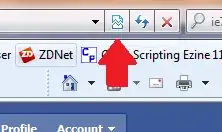
However looking at certain sites i.e BBC.co.uk some don;t seem to have the compatibility buton showing on the bar. You could see if it has it and check the website displayed though. Should give you an idea.

Have a look at the color of the tab. IE 8 introduced colored tabs.
Also post the image so that we can have a shot at guessing the browser.