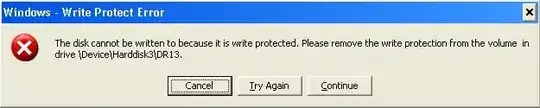
there many things you can try to get rid of this bug:
- try to locate a switch on the usb stick and use it (i guess you probably did that already)
- eject the usb stick and put it back in and look if this has fixed the problem
now to more advanced stuff:
- format your usb stick using low lever formatter
- the partition and all data on the stick is now lost you need to create the partiotion again: press win+r and run diskmgmt.msc. Select your drive choose ntfs and format it
- check if it helped
so and the last thing you could try:
- press win+r and run regedit
- go to HKEY_LOCAL_MACHINE\SYSTEM\CurrentControlSet\Control\
- find the key "StorageDevicePolicies" if it does not exist create it
- now create a new DWORD "WriteProtect" and set the value to 0
i hope this will solve your problem