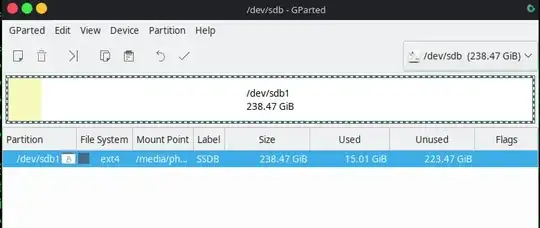
1

When I try mount /dev/sdb 1 /mnt/somewhere, I get this:

mount: /mnt/somewhere: wrong fs type, bad option, bad superblock on /dev/sdb1, missing codepage or helper program, or other error.

When I try fdisk /dev/sdb, I get this:

fdisk: cannot open /dev/sdb: Read-only file system

When I start gparted (with the USB plugged in) it loads forever, but if I start it without the USB plugged in, it loads fine.

If I run lsusb I get this:

Bus 001 Device 008: ID abcd:1234 LogiLink UDisk flash drive

is there any way to fix this USB, or is it broken forever?

RobinSchapendonk
  • 21
  • 1
  • 1
  • 3
  • [Try run the badblocks command for verifying your flash driver for some *bad sector error*. Then run the following: *badblocks -w -s -o error.log /dev/sdb*. Maybe your one can be physically damaged if some badblock error's found and if so, it's not gonna can be fixed and even can be very dangerous keep your data on that device under risk of you to lost it forever.](https://www.cyberciti.biz/faq/linux-check-the-physical-health-of-a-usb-stick-flash-drive/) – Jorge Luiz Apr 11 '21 at 15:10
  • [Bad block error](https://www.petervis.com/gallery/hard/Hard%20Drive%20Basics/Bad%20Block%20Tables.html) – Jorge Luiz Apr 11 '21 at 15:15
  • Try a deep format of the disk. But even if the disk will now seem to work, I wouldn't trust it in the future. – harrymc Apr 11 '21 at 15:32
  • badblocks gives: `badblocks: Read-only file system while trying to open /dev/sdb` – RobinSchapendonk Apr 11 '21 at 16:39
  • 1
    https://superuser.com/questions/1125282/what-can-i-do-if-my-usb-flash-drive-is-write-protected-or-read-only – Joep van Steen Feb 10 '23 at 00:29

1 Answers1

-1

use the command

run the command sudo gparted

Then use Gpart to mount the drive

enter image description here

Toto
  • 17,001
  • 56
  • 30
  • 41