25

I need to compare/diff/merge files in an easy way. In windows I would use WinMerge. What alternatives for this are available in Ubuntu?

The things I must be able to do:

  • See 2 files line by line next to each other, with the differences highlighted
  • Have an option for merging this files together
Peter Smit
  • 9,346
  • 13
  • 45
  • 45

6 Answers6

27

Meld (alternative link)

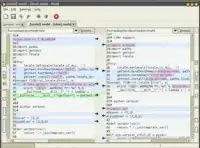
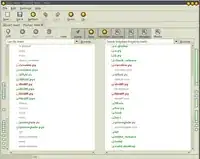
Meld is a visual diff and merge tool. You can compare two or three files and edit them in place (diffs update dynamically). You can compare two or three folders and launch file comparisons. You can browse and view a working copy from popular version control systems such such as CVS, Subversion, Bazaar-ng and Mercurial. Look at the screenshots page for more detailed features.

alt text alt text

tuket
  • 123
  • 6
Ivo Flipse
  • 24,696
  • 32
  • 103
  • 147
12

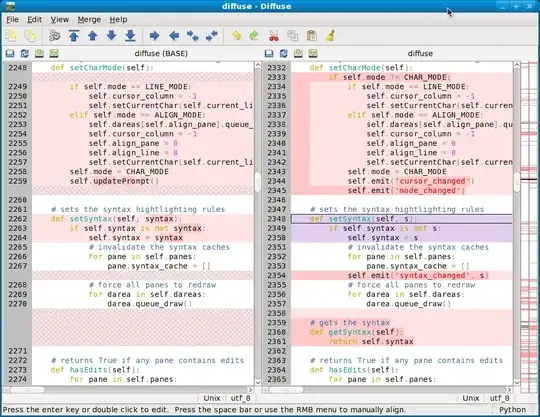
I like diffuse:

Diffuse is a graphical tool for merging and comparing text files. Diffuse is able to compare an arbitrary number of files side-by-side and gives users the ability to manually adjust line-matching and directly edit files. Diffuse can also retrieve revisions of files from Bazaar, CVS, Darcs, Git, Mercurial, Monotone, Subversion, and SVK repositories for comparison and merging.

enter image description here

Gaff
  • 18,569
  • 15
  • 57
  • 68
ihuston
  • 293
  • 3
  • 7
5

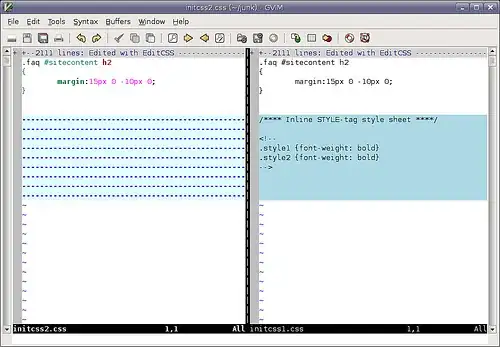
gvimdiff is handy for quick comparisons. Install gvim to get it.

enter image description here

Gaff
  • 18,569
  • 15
  • 57
  • 68
therefromhere
  • 8,412
  • 10
  • 42
  • 43
3

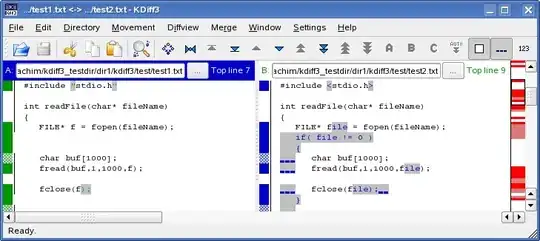
KDiff3 is cross-platform and has advanced line and character diff capability. See more about its features here.

alt text

Gaff
  • 18,569
  • 15
  • 57
  • 68
mutewinter
  • 787
  • 3
  • 10
  • 16
2

Beyond Compare, supports Ubuntu 6.06 - 9.04, at least 32-bit.

Lasse V. Karlsen
  • 3,656
  • 10
  • 41
  • 58
1

The open-source tool Kompare is worth adding to your diff tools on linux:

  1. It makes effective use of color
  2. It works great form the command line to pipe recursive multi-file diff sets directly from Subversion (or any other version control system)

    [~/path/to/project/source]$svn diff | kompare -o -

  3. Works great with Gnome Ubuntu even though it is a KDE native app.

To install on ubuntu: $sudo apt-get install kompare