In the Latest Windows 10 - 1909 the only concerned location is HKEY_CLASSES_ROOT\Directory\Background\shell\cmd. And none of the answers explained how to deal with permissions before editing.
First, we need to change permissions for the regedit branch revealed above:
1- Right click cmd > Permission

2- Press "Advanced"
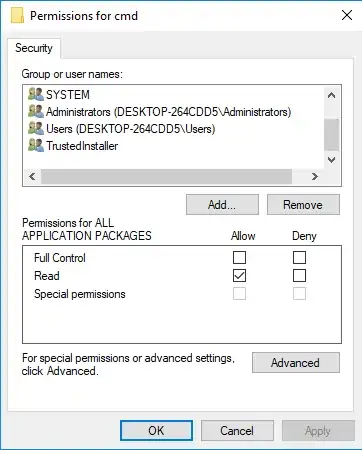
3- Press "Change" link on top

4- Input your user name (you can find yours by typing %userprofile% in run command or windows search), click check and ok
5- Check Replace Owner and press OK
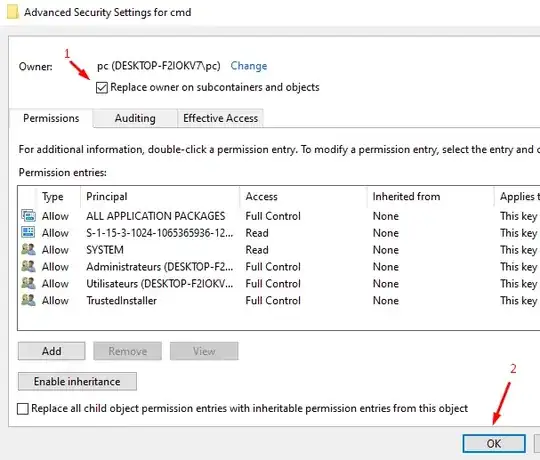
6- Finally select your user accounts one by one and check full control (you may have more than 2)
At this point we can edit the keys and you only need to rename Extended to _Extended_. And rename HideBasedOnVelocityId to ShowBasedOnVelocityId
Your keys should look like..

Done! If you right click inside any folder "open command prompt here" should be there.


