0

Potplayer in Fullscreen Displays a Black Window by Right Side... that is, whenever I "fast-forward" scroll with the mouse anywhere on the screen except the timeline. It's bad, because when I hit the black screen that comes into view as I get closer to the right-side edge, the video closes up. (That is, when the next video in the directory opens; I can avoid this by scrolling on the timeline only, but that is hard to keep in mind.)

Is there a way to make this black window (which takes up the entire one-fifth of the screen, from top to bottom) not appear?

There are two tabs at the top of the black window, "Program" and "Chating."

If "Chating" is selected, below the two tabs are sub-tabs that begin with "Menu," "Menu Browser," "Scene Browser," "Subtitle Browser," etcetera; and below that are "Add Bookmark," and functions underneath that begin with "View bookmarks as thumbnails."

(I guess this black window has a name, and if I knew what it was, I could get a handle on how to control it from "Preferences"... but I did not see any clues there.)

There is a similar Superuser thread on Potplayer with a black window appearing in the screen's middle here; the solution to that seems to have been "changing the skin to default or [built in skin]. It's in Menu > Skins." My skin is set at default.

I hope you will help me with this black window from getting under my skin!

Thank you.

.

Jeff
  • 1
  • 1
  • 2

4 Answers4

0

Quite by accident, I noticed the left edge of the black window turned into a two-sided arrow once the mouse hovered over it. "Close Chat Room/List of Broadcast/Playlist" was the notification, and upon clicking, the black window retracted out of view. It was as simple as all that, to get rid of it.

Back with an edit -- seems to keep returning, so have to keep closing it. If anyone is aware of how to keep it closed, please educate.

Jeff
  • 11
  • 3
0

(My answer below should be read first; this is a continuation.)

Subsequently discovered that it is possible to detach the "Program" and "Chating" (a misspelling for "Chatting") tabs into separate windows, but they combine again the next time a video is opened.

Now that I had new keywords to search with, I came upon this page from another forum that addressed the same question, although there was no answer.

The idea now is to come up with a way to prevent the black window from appearing as a default, because although I now know how to hide it, each time a video is opened, the black window shows up again in fullscreen mode. Perhaps someone will provide an answer. .

Jeff
  • 11
  • 3
0

I think I found it.... There is another icon at the bottom called "Use browser..." You click it and it should disappear. When it is no longer on the bar the black screen no longer loads.

0

To solve this problem you just need to change skin for potplayer.

The steps for change this problem :

1- download this SKIN: https://drive.google.com/open?id=0BzIDzGczP5NNRXZfZjExXzJUeE0

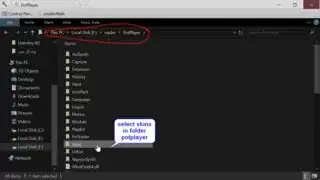
2- unzip and put 'skin.dsf' in "C:\Program Files\DAUM\PotPlayer\Skins"

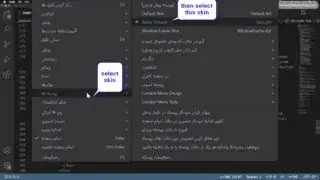
3- open potplayer, go to preferences --> General --> Skin

4- click on 'Better Default - Skin.dsf'

this should remove the right arrow thingy that opens the chat and playlist panel.. if you want to fix it on your own, open up the default skin using WinRAR and delete the .txt file called "right".

Note : whenever you logout of system or sleep the system you should close the Potplayer and open that again because Potplayer block the right page of desktop

this image explain the above note:

image for Note

image for Note

Step one:

step one : image

Step two:

step two: image

Step three:

step three: image