0

I've pretty much got the terminal colour scheme I want, however the user@host colours stick out like a sore thumb, and really don't fit in with the scheme. See screenshot in link:
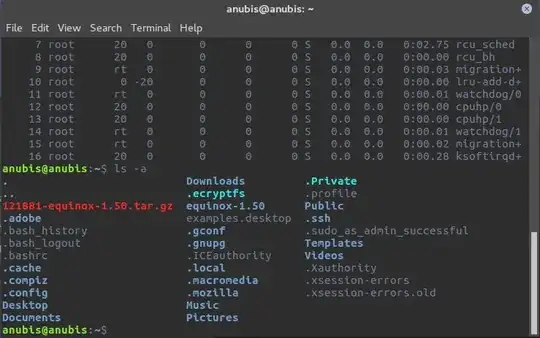
Terminal Colour Scheme

How do I go about changing the user@host colours (currently green)? Also, is it possible to change the archive colours (currently red)?

Byte Commander
  • 105,631
  • 46
  • 284
  • 425
devklick
  • 127
  • 7
  • Edit either your `~/.bashrc` or `.profile` file, or maybe your `/etc/bash.bashrc` or `/etc/profile` or `/etc/prfile.d/*` -- somewhere in there is the default settings for `PS1`, the variable that controls the default prompt display. – taifwa Apr 20 '17 at 21:06
  • https://www.cyberciti.biz/tips/howto-linux-unix-bash-shell-setup-prompt.html – taifwa Apr 20 '17 at 21:07
  • @taifwa - Thanks, this was exactly what I was looking for, worked like a charm. And yeah its pretty much a duplicate post, my bad! – devklick Apr 20 '17 at 21:38

0 Answers0