4

I know this is a bug that probably will be fixed in a later version of wine 1.3X. But I was hoping if there is a way to tweak of edit the current version if I have this problem again (I still have it).

At first everything was working perfectly, but then after 10 minutes I got a bad sound. I still get the bad sound and it's not localized to a specific application it's also in the wine test sound function.

wine version: wine-1.3.31

I have the winealsa driver. It's a new interface and all the old fixes doesn't work.

in the default selesctions you can choose default, System deafult or HDMI (external).
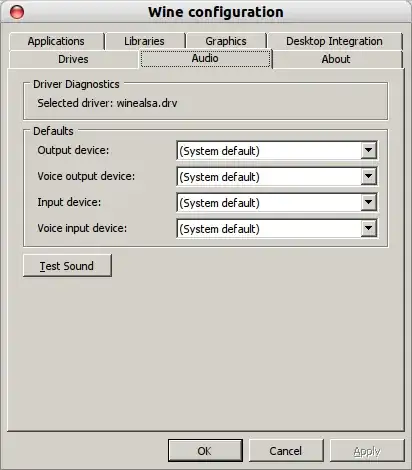
enter image description here

Alvar
  • 16,898
  • 29
  • 91
  • 134
  • Wine 1.3 is the development version. Does this happen in Wine 1.2 too? – Anonymous Oct 25 '11 at 17:26
  • wine 1.2 doesn't even work for me... – Alvar Oct 25 '11 at 17:29
  • If possible, select the pulse driver. If not, call the wine application with `pasuspender` ahead. – aquaherd Oct 25 '11 at 20:33
  • tell me how to? I don't know this new interface.... – Alvar Oct 26 '11 at 04:49
  • This question should instead be filed as a bug report, and [as such](http://meta.askubuntu.com/questions/1317/what-to-do-with-questions-that-describe-known-bugs/) is off-topic, thanks! [Instructions here](http://askubuntu.com/questions/5121/how-do-i-report-a-bug). – Ringtail Mar 01 '12 at 16:07

1 Answers1

0

Here's the details on how to use aquaherd's suggestion of pasuspender.

pasuspender will bypass the pulseaudio system for a given program. To try this, open a terminal window (Press Alt+F2 and type gnome-terminal). Then try the following command substituting whatever windows program you want to run for the final argument:

cd .wine/drive_c/Program\ Files/SomethingEleseHere
wineserver -k #stop wine if it is running
pasuspender -- wine SomeApplicationHere.exe

You can also try pasuspender -- winecfg to run the configuration and test speakers with pulseaudio suspended