I have directory where it is placed in a deep path. so I want to put that in here: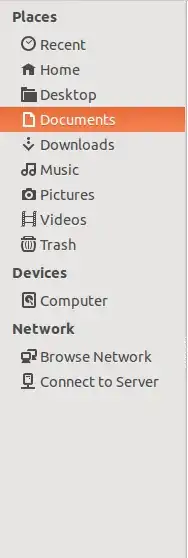 How I can do that?
Asked
Active
Viewed 155 times
2

Jorge Castro
- 70,934
- 124
- 466
- 653

Mohammad Reza Rezwani
- 10,076
- 35
- 91
- 127
-
1The way I would of done this would of been to edit `~/.config/user-dirs.dirs` - but that doesn't work, and apparently [won't work](http://askubuntu.com/questions/237349/how-to-define-completely-new-xdg-user-dirs) – Wilf Jul 13 '14 at 22:00
1 Answers
1
By drag-and-drop
I'm not sure which file manager you use. I use thunar, and there I can just drag and drop folders into the side bar.
Using ln -s
If that does not work out, use the simple ln -s /your/long/path/name/here ~/shortname to create a soft link. It won't show in the side bar, but should be easy to reach via the home folder.

noleti
- 4,063
- 26
- 25