1

I cannot get any sound Recordmydesktop

by sound I mean the background song or video volumes which are ongoing in my desktop

I have a video of what I am doing to get sound but eventually not getting it its over here
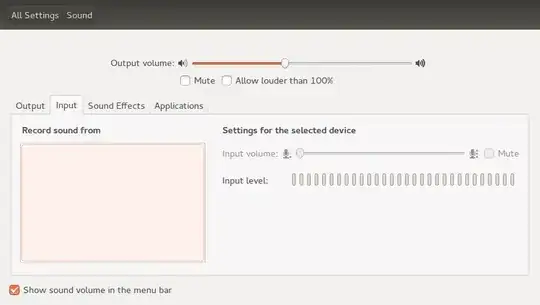
enter image description here

agha rehan abbas
  • 2,380
  • 13
  • 33
  • 45
  • possible duplicate of http://askubuntu.com/questions/63363/how-to-use-two-sound-sources-while-using-recordmydesktop?rq=1 – kenn Jul 13 '14 at 13:09
  • possible duplicate of [Record desktop and microphone audio with Avconv](http://askubuntu.com/questions/410737/record-desktop-and-microphone-audio-with-avconv) It should cover pulseaudio settings you trying (set as default the Monitor: Analog Stereo Audio). – user.dz Jul 15 '14 at 06:35
  • @Sneetsher i cannot get any option for input devices. i have uploaded a screenshot of it to my question – agha rehan abbas Jul 15 '14 at 07:11
  • @agharehanabbas, `sudo apt-get install pavucontrol` then run `pavucontrol` from terminal – user.dz Jul 15 '14 at 07:23
  • @Sneetsher pavucontrol is already installed in my pc – agha rehan abbas Jul 15 '14 at 07:24
  • i have added a video on youtube about what i am doing to get my background sound its is here http://youtu.be/Jia-6inZOWk – agha rehan abbas Jul 15 '14 at 07:25
  • @agharehanabbas, I put things you need here as answer, what you are missing **in bold**. – user.dz Jul 15 '14 at 07:35

2 Answers2

1

I have a one liner script to capture screen. It can capture both mike and desktop voice.

It's not very good, but I hope it serves the purpose.

 avconv -f   pulse -i default -f x11grab -r 15 -s $(xdpyinfo  | grep dimensions | awk -F ' ' ' { print $2 } ' ) -i :0.0+0,0 -acodec libmp3lame -vcodec libx264  $(date +"%m%d%Y_%H%M%S_$HOSTNAME")_screencast.mp4
kenn
  • 5,074
  • 12
  • 55
  • 94
1
  • Install Pulse Audio Control

    sudo apt-get install pavucontrol
    
  • Open terminal & run: pavucontrol

  • This is to record Playback Only (no microphone): Number are same on screenshot.

    1. Goto Input Devices tab
    2. Show: All input devices
    3. Use Green Button to the right to Select "Monitor: Audio Analog Stereo"

    There are different channel names but You can run some player and see which has signal.

    When Gnome Volume Control is opened, It overrides it back to Microphone. I have noticed that in the late releases 13.04, 13.10, 14.04. It cannot be changed back using Gnome Volume Control. (Avoid using it on recording)
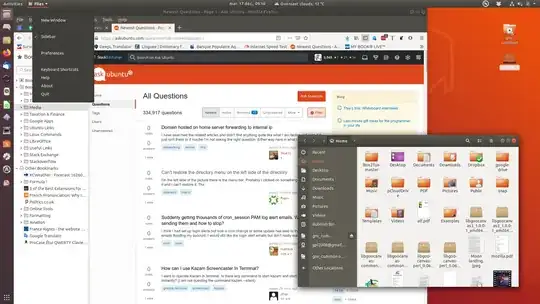
Pulse Audio Control : Input Devices

user.dz
  • 47,137
  • 13
  • 140
  • 258