7

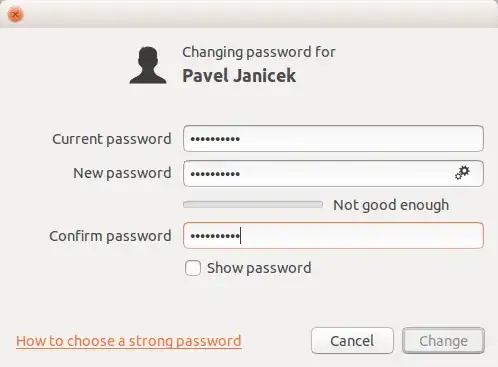
I tried to change my Ubuntu password but it keeps saying my new password is not "Good Enough" even when it passes my company security requirements:

  • At least 8 characrters
  • At least one number
  • At least one uppercase letter

password

I know, I could use better, stronger and nicer password, but, I want my Ubuntu follow the requirements from my company. How can I force Ubuntu to let me change my password?

Pavel Janicek
  • 459
  • 2
  • 6
  • 20
  • 4
    Try it from an Terminal, simply run `passwd` – TuKsn Jun 09 '14 at 08:36
  • thanks! That worked! But still I keep wondering why it does not work the same by GUI... – Pavel Janicek Jun 09 '14 at 08:38
  • 1
    The gui includes a rather strict password check, while via command line, you can decide if it is save enough or not. – Jacob Vlijm Jun 09 '14 at 10:32
  • 1
    Ran into this too on 14.04 when I tried adding a user. Must be a bug. I found the bug report https://bugs.launchpad.net/ubuntu/+source/unity-control-center/+bug/1318199 however it hasn't received much attention yet. – xebeche Jan 17 '15 at 10:13
  • 1
    On ubuntu 14.04.2 the passwd command is not without its own idea of what's too simple, similar to previous passwords etc. –  Mar 16 '15 at 11:43

1 Answers1

7

try sudo passwd [login]

See also https://help.ubuntu.com/lts/serverguide/user-management.html

jan
  • 186
  • 1
  • 2