Every time I click on "Get this torrent", I get a window asking to choose a application:
I have qBittorrent installed but I don't know how do I select it from this windows which open when I click on "Choose" from the previous window.
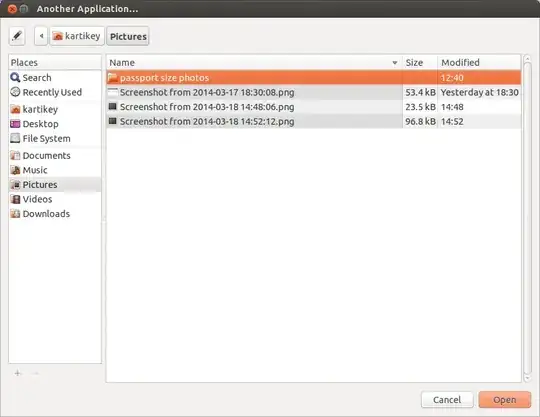
Every time I click on "Get this torrent", I get a window asking to choose a application:
I have qBittorrent installed but I don't know how do I select it from this windows which open when I click on "Choose" from the previous window.


In the little Another application... browsing window, click on File System on the left, then navigate to the directory usr and then bin (this may take a while to load, there are lots of files in this folder). There you will find the application qbittorrent. Choose it and click Open.

You can download the torrent file directly to a folder then add it directly to qBittorrent. See screenshot below.

as a work around, you can drag & drop the torrent or magnet (hyperlink) TEXT onto the qbittorrent application & it will start automatically.
