Could someone remind me how do I run application through the terminal, which allow me to close the terminal after the program is open. I totally forgot how to do this. Please let me know.
Asked
Active
Viewed 1.2k times
5
-
1This as not been answered. Is not the Answer am looking for. If it was I would have not posted this, as I have seen those posts before. – Mar 05 '14 at 18:39
-
@Braiam I don't think this Q is duplicate. I think that the OP wants a command ***which allows to close terminal after the program is open***. – Radu Rădeanu Mar 05 '14 at 18:40
-
@RaduRădeanu and `nohup` doesn't? – Braiam Mar 05 '14 at 18:41
-
1@user242294 can you explain exactly your need. it seems confusing for the community – kamil Mar 05 '14 at 18:47
-
There's a variety of methods you could use. The disown command is popular, but I've never been a fan of it. Personally, I prefer to use a multiplexer like Tmux, although screen would work as well. – Jacobm001 Mar 05 '14 at 18:17
-
A few months ago, my lecturer showed me a command that actually does it all, like with nohup you still have to press ctrl-c to skip to the next line. My lecturer showed me one that does everything. I was able to open an txt editor and then actually carry on with the same window. – Mar 05 '14 at 19:06
-
1@user242294 The confusion is about: do you want that the terminal to be closed manually or automatically? – Radu Rădeanu Mar 05 '14 at 19:10
-
@Braiam `nohup` doesn't close the terminal ;) – Radu Rădeanu Mar 05 '14 at 20:08
-
@user242294 with nohup you don't need to press ctrl+c to skip to the next line. simply click enter and see that have just run the program (like firefox) and you still have control on the terminal. Try it – kamil Mar 06 '14 at 13:30
2 Answers
6
(command &) && exit
Example:
(firefox &) && exit

Radu Rădeanu
- 166,822
- 48
- 327
- 400
-
1
-
@Braiam Which terminal are you using?!? The terminal is already closed when firefox is opened. :) – Radu Rădeanu Mar 05 '14 at 18:31
-
1@RaduRădeanu the OP mentioned that he want to close the terminal manually – kamil Mar 05 '14 at 18:40
-
-
-
@Braiam No matter what I use, the behavior is the same: the new program is opening, when the terminal is closing. – Radu Rădeanu Mar 05 '14 at 18:43
-
1
-
-
@RaduRădeanu Ok I asked the OP and let him decide if he means manually or automatically – kamil Mar 05 '14 at 18:48
-
`command &` run the command as background program and close the terminal or anything you wish. – alhelal Apr 10 '17 at 06:01
2
I think this is the best way:
nohup (command) &> /dev/null &
example:
nohup firefox &> /dev/null &
Edit: the "&> /dev/null &" redirects the output of nohup such that you do not have logs (nohup.out) See https://unix.stackexchange.com/questions/23010/how-to-make-nohup-not-create-any-output-files-and-so-not-eat-all-space
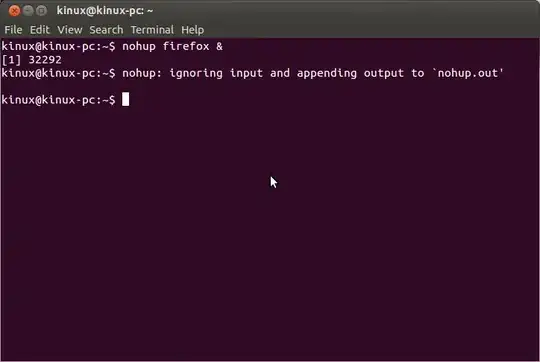
Then I can close terminal without a warning message either by the exit command or by clicking the x on the terminal window


-
1Added information to prevent "nohup.out" log files. An alternate to nohup is disown or running your applications in screen, depending on what you want to do. screen tends to work well with ssh. – Panther Mar 05 '14 at 18:35
-
the OP said: "allow me to close the terminal" not "close terminal automatically" – kamil Mar 05 '14 at 18:45
-
-
-
-
@Olli yes, please roll back again. `&>` means redirect both standard error and standard output, it is shorthand for `2>&1 >`, `>&` means redirect to a file called `&` which, since `&` is a special character for bash, will give an error for most commands and works only by chance on the `nohup`. That is not a good reason to keep a syntax error in an answer. Compare `ls >& /dev/null` and `ls &> /dev/null`. – terdon Mar 05 '14 at 19:19
-
@Olli also, while this is most certainly a syntax error, it does seem to "work" in the specific case of nohup when running in any of bash,zsh, tcsh or csh but fails in dash, ` ksh and fish. More details in my [question](http://unix.stackexchange.com/q/118303/22222) on [unix.se]. – terdon Mar 05 '14 at 20:08