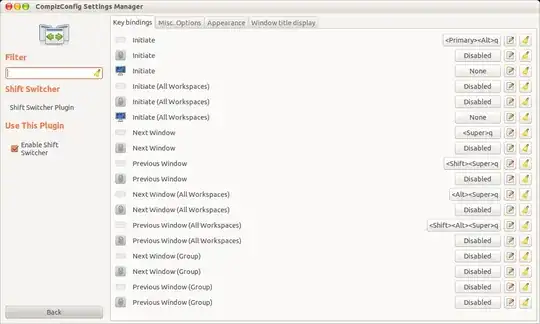
I use Shift Switcher to surf through the open windows and select the desired one. I've configured the combinations so that they don't conflict with others. Mainly I use the next window, Super + Q and previous window,Super + Shift + Q switches. But release the keys (or the Super key) does not make the selected window active; I have to hit the modifier keys like Return, Shift, Alt, etc. or click with the mouse pointer for both switcher modes (Cover/Flip). But I'd like the selected window getting activated right when I release the button, similar to what we have with the Alt + Tab switching.
 (flip mode shift switch)
 (cover mode shift switch)
Here's a snapshot of my key combinations for the Window Management option in CompizConfig Settings Manager: