I have added user using the adduser command, but a directory with is new user name is not created in /home, and I'm also not able to run any command with this user. After logging from this user it's only showing($) on the screen using a cli
Asked
Active
Viewed 5.3e+01k times
78

Braiam
- 66,947
- 30
- 177
- 264

Simmerjeet
- 895
- 1
- 6
- 7
1 Answers
114
Find and open Users and Groups. Delete that user, and create a new one
There is more on using it here.
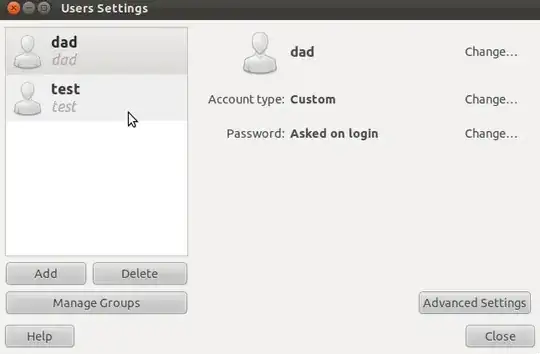
For command line, these should work:
useradd -m USERNAME
You have to use -m, otherwise no home directory will be created. If you want to specify the path of the home directory, use -d and specify the path:
useradd -m -d /PATH/TO/FOLDER USERNAME
You can then set the password with:
passwd USERNAME
All of the above need to be run as root, or with the sudo command beforehand. For more info, run man adduser.
Hope this helps 


-
9be careful, using the command line option (useradd) apparently doesn't default the shell to bash [!] http://askubuntu.com/questions/281217/added-new-user-no-shell-tab-completing possibly suggest using `adduser` instead – rogerdpack May 11 '15 at 16:49
-
24There's the `-s` option to set their login shell with `useradd`, in case you're not able to use `adduser` for some reason. `sudo useradd -m -s $(which bash) -G sudo
` will create a new user with a home dir, bash login shell and the ability to `sudo`. – Sundar R Dec 15 '15 at 13:30 -
`useradd` is a low level utility, [I would use `adduser myuser` instead](https://askubuntu.com/a/374878/349837), and `adduser myuser sudo` to for eg, to add `myuser` to `sudo` group – Pablo Bianchi Mar 24 '22 at 04:08