I am having trouble updating with Rhythmbox. I'm using ubuntu 13.10
I have purged it and did a new install and I keep getting an error message:
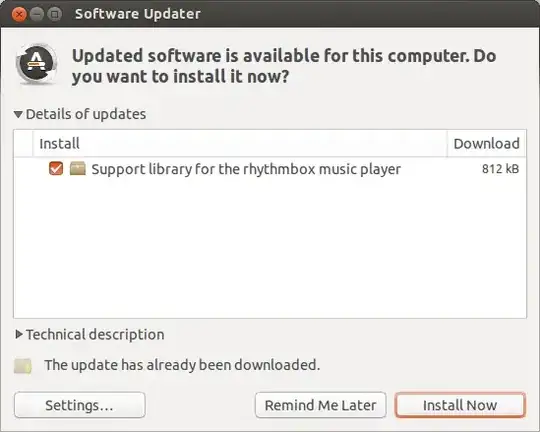
When I attempt an upgrade:
vividvibe@vividvibe-P55M-UD2:~$ sudo apt-get upgrade
Reading package lists... Done
Building dependency tree
Reading state information... Done
The following packages will be upgraded:
  librhythmbox-core7
1 upgraded, 0 newly installed, 0 to remove and 0 not upgraded.
Need to get 812 kB of archives.
After this operation, 39.9 kB of additional disk space will be used.
Do you want to continue [Y/n]? y
Get:1 http://ppa.launchpad.net/jacob/media/ubuntu/ saucy/main librhythmbox-core7 amd64 3.0.1-0~13.10~ppa1 [812 kB]
Fetched 812 kB in 1s (578 kB/s)
(Reading database ... 259190 files and directories currently installed.)
Preparing to replace librhythmbox-core7 2.99.1-0ubuntu1 (using .../librhythmbox-core7_3.0.1-0~13.10~ppa1_amd64.deb) ...
Unpacking replacement librhythmbox-core7 ...
dpkg: error processing /var/cache/apt/archives/librhythmbox-core7_3.0.1-0~13.10~ppa1_amd64.deb (--unpack):
 trying to overwrite '/usr/lib/librhythmbox-core.so.8.0.0', which is also in package librhythmbox-core8 3.0.1-1ubuntu5~ppa0
dpkg-deb: error: subprocess paste was killed by signal (Broken pipe)
Errors were encountered while processing:
 /var/cache/apt/archives/librhythmbox-core7_3.0.1-0~13.10~ppa1_amd64.deb
E: Sub-process /usr/bin/dpkg returned an error code (1)
Not sure what the problem could be.


