12

Running Flash in Google Chrome drains my CPU massively:
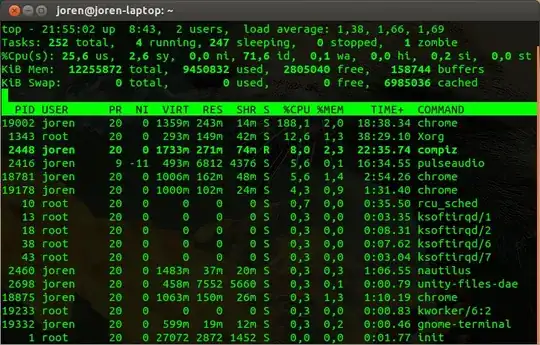
enter image description here

I figured that the cause of this issue would be that hardware acceleration of flash is turned off. When I tried turning it by right clicking a flash application and selecting settings, this window popped up:
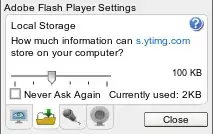
enter image description here

No hardware acceleration options can be found.

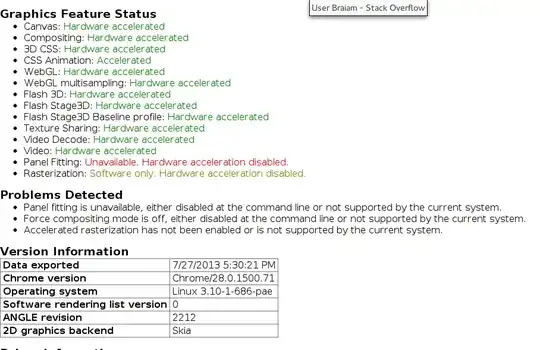
In Chrome, when I open about:gpu, I get to see this:

enter image description here

How do I turn hardware acceleration on in Flash or is there an alternative way of reducing the CPU usage?

Braiam
  • 66,947
  • 30
  • 177
  • 264
Joren
  • 5,023
  • 8
  • 38
  • 54
  • 2
    You should check this [bug](http://crbug.com/137247), this [bug](http://crbug.com/145600) and this [bug](http://crbug.com/133828). Also, updated my answer with more verbose instructions. – Braiam Jul 27 '13 at 21:44

2 Answers2

17

You should check your about:gpu section in Chrome/ium. In older PC's HW Acceleration is disabled by default and you only can enable it by overriding the settings in the about:flags.

  • Open the about:flags in your address bar
  • Look for Override software redendering list
  • Click "Enable"
  • Restart Chrome/ium

You can also start chrome using chrome --ignore-gpu-blacklist but having to do so each time is not ideal.

This is my GPU page

THis is my flags

Braiam
  • 66,947
  • 30
  • 177
  • 264
  • That was useful, although I found that enabling **Override software rendering list** in `about:flags` is not sufficient to enable a lot of those features including HW accelerated video decoding. For some reason passing the flag via the command line using `chromium-browser --ignore-gpu-blacklist` seems to work. – ali_m Oct 05 '15 at 20:52
  • Seems to be related to this bug: https://code.google.com/p/chromium/issues/detail?id=509336 – ali_m Oct 05 '15 at 20:57
2

Try LIBGL_DRI3_DISABLE=1 google-chrome --ignore-gpu-blacklist if you end up here looking for a solution on a version affected by a LibGL DRI bug on Linux.

CodeMedic
  • 130
  • 5
  • Thanks! This works for my problem that chromium gave the error `libGL error: DRI3 Fence object allocation failure Operation not permitted`, so no hardware acceleration at all was available. The method I had been using was to disable the GPU sandbox as described [here](http://keithp.com/blogs/chromium-dri3/) *(using `chromium --ignore-gpu-blacklist --disable-gpu-sandbox`)*, but your method doesn't generate the annoying warning banner :) – Wilf Dec 22 '14 at 13:24