5

When one left clicks an application, it also displays the screenshot of the desired application.

screenshot of the desired effect:
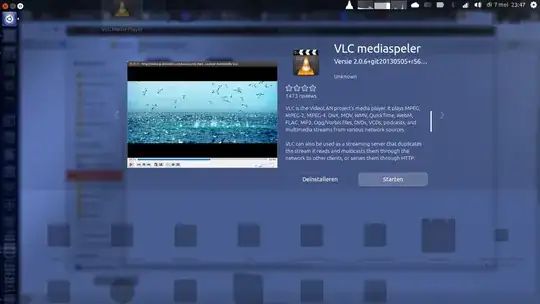
unity-previews-vlc

I can't find the screenshotlink=? command in the vlc.desktop file (and or other .desktop files)

This is what I have now:unity-previews-eurobytes
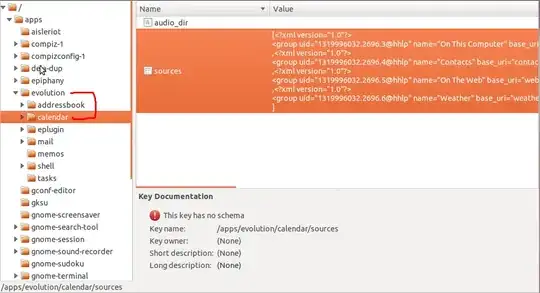
Question: How to get an image for my custom made .desktop file.

Note: If needed, I can post the code used for my custom .desktop file

blade19899
  • 26,496
  • 21
  • 113
  • 177
  • I'm not in Unity right now, but can you please compare this screenshot I see for Vlc with the screenshot of it that it is available on the Software Center? – hytromo May 13 '13 at 12:34
  • @hakermania I don't know how to get the `vlc.desktop` that is available via software center, but I checked some other default apps; thunderbird, totem, and I couldn't find a the `screenshotlink=` on either of them? – blade19899 May 13 '13 at 15:35
  • I don't think that there's a .desktop file associated with every application in Software Center (I highly doubt it), but I just want to know whether USF and Unity Previews use the same mechanism for getting a screenshot of the application (which sounds pretty logical to me). If this is the case, then you will not be able to have a screenshot for a custom application so easily... – hytromo May 13 '13 at 23:00

1 Answers1

-1

It seems that the name of the .desktop files itself relate to applications in software center.

If you copy the /usr/share/applications/firefox.desktop to your ~/.local/share/applications and then rename firefox.desktop to (for example) libreoffice-calc.desktop (content of the file untouched). Then type in firefox and you'll see in one of the items the preview and comments from libre instead of firefox.

Therefore i think that it is not possible to have own preview images / thumbnails unless your application is in the ubuntu repos.

Lahmizzar
  • 99
  • 3