117

Ubuntu Doc page says this:

It is advisable that you add the Opera GPG key.

wget -qO - http://deb.opera.com/archive.key | sudo apt-key add -

Where do I add that?

I want to take the advice but I don't know what part of software center to add gpg keys to.

bruce
  • 2,787
  • 6
  • 20
  • 22
  • 3
    I believe that is a one line command to enter into terminal – Mateo May 05 '13 at 13:55
  • 1
    .msi in Ubuntu is called .deb. – Alvar May 05 '13 at 17:12
  • 5
    As a side note, adding keys you fetch over non-HTTPS breaks any security that signing packages added. Wherever possible, you should download keys over a secure channel (https://). –  Jul 10 '14 at 18:00
  • 5
    [Do not use apt-key](https://askubuntu.com/a/1307181/307747) –  May 18 '21 at 18:10

7 Answers7

138

This a a one line command to enter in terminal. See What is a terminal and how do I open and use it?

To use it, you would paste the entire command in the terminal (remember to use https):

wget -qO - https://deb.opera.com/archive.key | sudo apt-key add -

But of course, it is daunting just copying and pasting commands without knowing what they are doing, and having no instructions on how to undo their actions, so here is a basic breakdown of the commands:

  • wget downloads something from a server. See wget manual for Ubuntu 16.04.
  • | is a pipline, which takes the output of one command and runs it into the input of another
  • apt-key add adds a package key

So it basically downloads the key and then adds it in one command.

I tested the command and it should work.


Now to verify that it worked, run this command (from this answer):

apt-key list

This will list the keys added and the key from Opera should be listed on the bottom like this:

pub   1024D/30C18A2B 2012-10-29 [expires: 2014-10-29]
uid                  Opera Software Archive Automatic Signing Key 2013 <[email protected]>
sub   4096g/C528FCA9 2012-10-29 [expires: 2014-10-29]

The linked answer also shows that you can remove the key if needed, using:

sudo apt-key del 30C18A2B

with 30C18A2B being the key-id from the list.


After performing that command, and setting up the sources exactly like in your screen-shot, do:

sudo apt-get update
sudo apt-get install opera

(note there are some random warnings, but nothing that affects the install or software center operations)

And for the removal (just in case): What is the correct way to completely remove an application?


So in summary:

  • Add repository enter image description here
  • Add key with apt-key
  • Install in terminal with apt-get
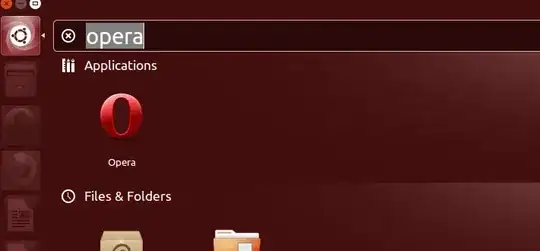
  • Search in dash enter image description here
Mateo
  • 8,064
  • 9
  • 57
  • 78
  • 4
    "apt-key adv" allows one to download the key from a public keyserver. – jeremiah Mar 31 '16 at 13:27
  • After adding the key with `apt-key add`, the .key file (in this case, "archive.key") can be deleted without consequence, right? The key (the information, not the file) has already been added to a list somewhere, so the file should no longer be needed. – Cerran Mar 17 '18 at 20:52
  • 3
    @Cerran, correct. APT keeps keys _somewhere else_ (`/etc/apt/trusted.gpg.d/` and `/var/lib/apt/keyrings/` for example.) – Alexis Wilke Feb 27 '19 at 18:36
  • 1
    If you get an SSL error with wget, you can use curl instead: `curl -L https://deb.opera.com/archive.key | sudo apt-key add -` – rubo77 May 06 '19 at 09:54
  • Isn't apt-key deprecated? I keep seeing this warning everywhere. Here, for example (installation guide for Nvidia Cuda): https://docs.nvidia.com/cuda/archive/11.7.1/cuda-installation-guide-linux/index.html#ubuntu-installation-network – GuiMendel Nov 29 '22 at 15:03
57

If you are manually adding a key from a PPA, use

sudo apt-key adv --keyserver keyserver.ubuntu.com --recv-keys 00000000

Replacing the 00000000 with the second part of the key informed in the PPA website that you want to add.

For example, if you find this line:

 4096R/7BF576066

Use only the second part (no matter its size), which in this example is 7BF576066

Paulo Coghi
  • 1,914
  • 6
  • 29
  • 44
  • are errors like `gpg: keyserver receive failed: No keyserver available` and `gpg: keyserver receive failed: Connection refused` common? – iuridiniz Dec 31 '18 at 13:49
  • No, errors like these aren't common. Maybe you're writing the wrong key. – Paulo Coghi Jan 01 '19 at 14:51
  • 2
    equivalent without apt-key: `sudo gpg --keyserver hkp://keyserver.ubuntu.com:80 --no-default-keyring --keyring /usr/share/keyrings/my-ppa.gpg --recv-keys 00000000` – eddygeek Sep 04 '22 at 22:08
38

Newer versions of apt also support the following:

apt-key adv --fetch-keys http://deb.opera.com/archive.key

This method also provides more detailed feedback as well, e.g.:

gpg: key 7BD9BF62: public key "signing key <[email protected]>" imported
gpg: Total number processed: 1
gpg:               imported: 1  (RSA: 1)

This also has the added bonus of removing the need for additional dependencies like wget or curl.

Andrew Odri
  • 483
  • 5
  • 7
7

apt-key now seems to be deprecated, I have created a script that will detect and get the missing keys, you can get it here.

#!/bin/sh -e
tmp="$(mktemp)"
sudo apt-get update 2>&1 | sed -En 's/.*NO_PUBKEY ([[:xdigit:]]+).*/\1/p' | sort -u > "${tmp}"
cat "${tmp}" | xargs sudo gpg --keyserver "hkps://keyserver.ubuntu.com:443" --recv-keys  # to /usr/share/keyrings/*
cat "${tmp}" | xargs -L 1 sh -c 'sudo gpg --yes --output "/etc/apt/trusted.gpg.d/$1.gpg" --export "$1"' sh  # to /etc/apt/trusted.gpg.d/*
rm "${tmp}"
0000matteo0000
  • 141
  • 1
  • 2
5

You should not add third-party keys via apt-key add. These keys can then be used to sign any package on your machine, including those from the archive. Now you should only allow the key to sign only a specific package. Complete answer on UNIX.SE from user Trudy.

Jared
  • 204
  • 2
  • 5
2

Let's say you want to add docker's repo key (an ASCII-armored key):

$ curl -fsSL https://download.docker.com/linux/ubuntu/gpg \
    | sudo gpg --dearmor -o /etc/apt/keyrings/docker.gpg

If you're not sure if the key is ASCII-armored:

$ curl -fsSL https://download.docker.com/linux/ubuntu/gpg | file -
/dev/stdin: PGP public key block Public-Key (old)

For a non-armored key the output will be along the lines of:

/dev/stdin: OpenPGP Public Key Version 4, Created ..., RSA (Encrypt or Sign, 4096 bits); User ID; Signature; OpenPGP Certificate

And to add it you need:

$ sudo curl -fsSL https://... -o /etc/apt/keyrings/NAME.gpg

More on it can be found here. But it suggests to install keys to /usr/share/keyrings, which is the location for package maintainers. More on it below.

For apt < 2.4.0 you need to create /etc/apt/keyrings before adding the key (Debian link):

apt (2.4.0) unstable; urgency=medium ...

  • Install an empty /etc/apt/keyrings directory. This directory is intended to provide an alternative to /usr/share/keyrings for placing keys used with signed-by.

That means before Ubuntu 22.04 Jammy, Debian 12 Bookworm.

Deprecating apt-key is a security measure. You can learn more on it here. As such, adding files to /etc/apt/trusted.gpg.d is also insecure. Because /etc/apt/trusted.gpg.d is a way to add keys to the keyring (/etc/apt/trusted.gpg) w/o apt-key add, by copying files.

Also note that:

The recommended locations for keyrings are /usr/share/keyrings for keyrings managed by packages, and /etc/apt/keyrings for keyrings managed by the system operator.


apt-key is deprecated since 2.1.8 (Debian link):

apt (2.1.8) unstable; urgency=medium ...

  • Fully deprecate apt-key, schedule removal for Q2/2022

In terms of releases that would be Ubuntu 21.10 Impish, Debian 11 Bullseye. The commit (Debian link).

Ability to specify signed-by in apt sources was added in 1.1.exp9 (Debian link):

apt (1.1~exp9) experimental; urgency=medium ...

  • implement Signed-By option for sources.list

The commit (Debian link).

x-yuri
  • 561
  • 2
  • 7
  • 19
1

Another way where you just have an .asc key, you download the .asc key and add it to the keyring.

For instance -

curl -L https://packages.riot.im/debian/repo-key.asc | sudo apt-key add -
shirish
  • 111
  • 2