I have a canon PowerShot A3100 IS camera, and, as written in the title, I want to know where does the automount mount it when I connect it.
Does anyone know?
I have a canon PowerShot A3100 IS camera, and, as written in the title, I want to know where does the automount mount it when I connect it.
Does anyone know?
With Ubuntu 12.10 I didn't have any luck with ~/.gvfs... However, I'm able to access my camera on the command line using
/run/user/<username>/gvfs/gphoto2:host=%5Busb%3A002%2C008%5D/


Assuming your camera connects over PTP, GPhoto will be responsible for the data transfers. I guess the ~/.gvfs directory will contain a virtual folder pointing to your camera.
gphotofsInstall gphotofs package:
sudo apt-get install gphotofs
Then create a directory wherever you prefer (i'm using /home/<user>/camera)
mkdir /home/<user>/camera
And use the following to mount it
sudo gphotofs /home/<user>/camera
<user> with your username 
You can open the gphoto2:// address directly in your file manager. Nautilus handles it and gives you a device. Other browsers such as thunar you may have to enter the address manually.
~/.gvfs is the default mountpoint produced by the gvfs-fuse-daemon (package gvfs-fuse). This is a but temperamental so even if you have the package installed it may fail at startup. Check the permissions on .gvfs.
Depending on your environment (varies between versions), you may have an XDG_RUNTIME_DIR set and then .gvfs will be mounted there instead of your home dir. Typically this will be something like /run/user/...

On Ubuntu 19.04, Nautilus (Ubuntu's file manager) mounts cameras at
/run/home/$UID/gvfs/gphoto2:host=Name_of_Company_Model_Name_SomeNumbers
Where $UID is your User Identifier (it's probably 1000).
The last folder in the file path is probably different for your camera. You can find the string by doing
gio mount --list --detail
And looking for a line like
activation_root=gphoto2://Name_of_Company_Model_Name_SomeNumbers
For me, the camera would not get mounted unless I opened Nautilus and clicked on the camera. To mount it manually from the command line I did
gio mount gphoto2://Name_of_Company_Model_Name_SomeNumbers
And to unmount it I did
gio mount -u gphoto2://Name_of_Company_Model_Name_SomeNumbers

If I understand your question correctly, it gets mounted at gphoto2://[usb:001.006]/
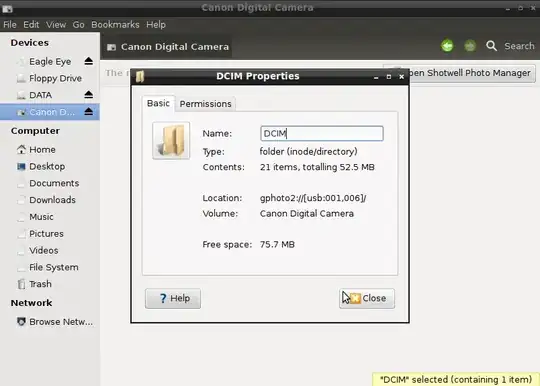
Not all cameras are mountable. The gphoto2 command should allow you to download pictures from supported cameras.
If your camera is like that, you can avoid this problem by using a USB card reader. The USB card reader makes any card mountable, just like a hard drive.

While this is true [about gphoto2 mounting cameras], there is a setting on some cameras that allow you to connect them actually as a USB mass storage device (see screenshot), then you do not have to rely on gphoto2 and can treat your camera (or the card within it) as a normal usb flash disk. The setting to change how your camera connects to the PC is not present in all camera menus, but is usually in DSLRs. It often makes transferring your pictures and videos easier to have this setting on USB mass storage- at least it works for me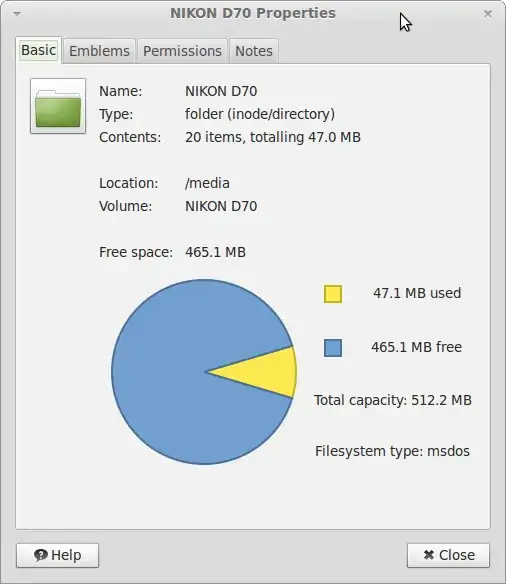
If it's mounted somewhere, you can go to the terminal and execute mount without parameters to see a list of mounted devices and their locations.
Regards


