9

ddd script.bsh does not open the script. It shows an our glass and if I want to close ddd, it says "bash is busy"...

I found an old message, but it didn't help. https://lists.gnu.org/archive/html/ddd/2008-10/msg00006.html

I couldn't find ddd-3.3.12-test6.tar.gz, therefore I am using the ddd version from ubuntu repository. Also bashdb is already installed. Used apt-get install ddd bashdb.

Anyone able to use ddd for bash on Precise?

muru
  • 193,181
  • 53
  • 473
  • 722
James Mitch
  • 1
  • 10
  • 23
  • 45

3 Answers3

7

I was able to get ddd and bashdb to play nice on Ubuntu 12.04 today:

  1. Remove the repo-supplied ddd:

    sudo apt-get remove ddd
    
  2. Fetch ddd v3.3.9 and install from source, e. g.:

    sudo apt-get build-dep ddd
    sudo apt-get install libmotif-dev
    wget http://ftp.gnu.org/gnu/ddd/ddd-3.3.9.tar.gz
    tar xvf ddd-3.3.9.tar.gz
    cd ddd-3.3.9
    ./configure
    make
    sudo make install
    

    Note: I had to make a single patch to the source code to get the build to work -- in ddd/strclass.C, we needed a #include <stdio.h>; at the top to define EOF.

  3. Make sure bashdb is installed:

    sudo apt-get install bashdb
    
  4. Launch with:

    ddd --debugger /usr/bin/bashdb -- {script name} {parameters}
    

Could not live without ddd + Bash.

Optional: gpg verification:

Search for sign on https://www.gnu.org/software/ddd/ will redirect to https://savannah.gnu.org/project/memberlist-gpgkeys.php?group=ddd

  1. Download ddd-keyring.gpg.

  2. Import it into your key chain:

    gpg --import ddd-keyring.gpg
    
  3. Verify the signature:

    wget http://ftp.gnu.org/gnu/ddd/ddd-3.3.9.tar.gz.sig
    gpg --verify
    
David Foerster
  • 35,754
  • 55
  • 92
  • 145
Stabledog
  • 971
  • 8
  • 12
4

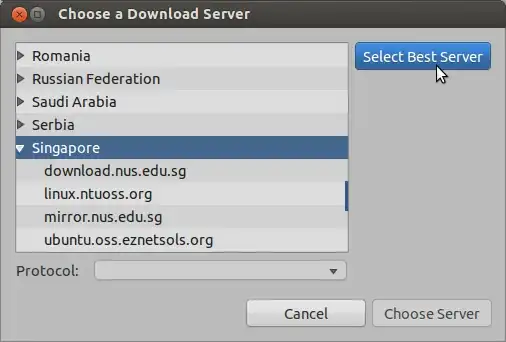
To get ddd to work with the bash debugger on bash scripts, it's necessary to install bashdb too.

If it's not installed, you get:

enter image description here

Afterwards, ddd seems to work normally:

enter image description here

ish
  • 138,666
  • 36
  • 303
  • 312
  • bashdb is already installed and working. Did you get ddd running on precise? – James Mitch Jun 28 '12 at 10:56
  • @JamesMitch, yes, I'm on Precise 12.04 (64-bit, though). – ish Jun 28 '12 at 10:59
  • 1
    Did you actually test to step through a bash script? I booted the Precise 12.04 64-bit DVD, installed ddd and bashdb and still couldn't open a bash script without seeing the hourglass. – James Mitch Jun 29 '12 at 20:42
  • I did get it working on Ubuntu 12.04, by using an old version of ddd (3.3.9). Had to build it from source, and install the libmotif-dev package first. – Stabledog Aug 21 '12 at 19:36
  • 1
    Additional details here: http://askubuntu.com/a/178692/73165 – Stabledog Aug 21 '12 at 20:03
  • 1
    Just followed your instructions on 12.04 / 64. Almost works. After bashdb loads the script I click "step" and go into an infinite wait for bash to finish starting. Suggestions? – Wes Miller Nov 25 '13 at 15:50
1

This is a regression introduced in DDD 3.3.12, see bug #41649.

The last usable version is 3.3.11.

Bass
  • 151
  • 5
  • 1
    Your bug report is from April 2014. The OP's question is from June 2012. – WinEunuuchs2Unix Jun 10 '18 at 22:40
  • I’ve checked all four versions from 3.3.9 to 3.3.12. There’s definely a regression introduced in 3.3.12 (they’ve made lots of changes related to `remake`, `bashdb` and `pydb`). And 3.3.12 was released in 2009, so there’s a pretty good chance the OP was running this very version. – Bass Jun 10 '18 at 23:20
  • OK but this is the year 2018. An answer was written and accepted in 2012. Plus the answer received 4 up-votes. The OP hasn't signed on in over five years an is unlikely to comment on your answer. – WinEunuuchs2Unix Jun 10 '18 at 23:25
  • @WinEunuuchs2Unix Okay, maybe mine is the answer to a slightly different question, but this page appears in Google's top 10 for those seeking the answer to "why `bashdb` integration doesn't work". So I'm not expecting any comments or upvotes, just accumulating the knowledge. – Bass Jun 11 '18 at 09:51