0

I recently migrated from Windows to Ubuntu (22.04 LTS).

I use Ubuntu online accounts to sync with my Google account, which is where I keep all my work. I followed all the steps to correctly mount the Google drive.

But when I used the option 'Open in Terminal' in the Files app, I noticed that the names of the dirs and files are different in the Files app and in the Terminal. The image below shows the content of the same directory in the Files app (left) and the Terminal (right):
enter image description here

While the Files app is showing the expected names, the Terminal shows gibberish (keys or encrypted names?).

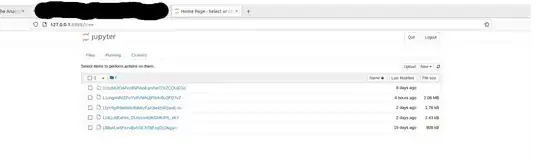
This situation, for example, makes it impossible to work with Jupyter, since the files are not recognized as .ipynb, even though Jupyter launches correctly from the Terminal on the given directory.
enter image description here

Is there a way to configure Ubuntu so that Jupyter sees the actual display names when launched from a Terminal in the Google Drive? Is this a Jupyter configuration?

  • the "gibberish" looks like the unique identifiers for Google Drive documents. – Esther Jul 05 '22 at 22:00
  • Does this answer your question? [How to access mounted online accounts from filesystem?](https://askubuntu.com/questions/1137888/how-to-access-mounted-online-accounts-from-filesystem) – Esther Jul 05 '22 at 22:00
  • apparently those are the real names of the Google Drive files, and the "display names" are what you want. – Esther Jul 05 '22 at 22:01
  • @Esther thanks for the comment. I edited the question title, to try to make it clearer. My problem in the end is that, although Jupyter launches from the Terminal with the real Google Drive names, I have not found a way to make Jupyter use the "display names" – user194145 Jul 06 '22 at 00:01
  • so you want to configure *jupyter* to use the display names, is that right? – Esther Jul 06 '22 at 00:44
  • Your question is still not asking what you claim. The Linux terminal is irrelevant; you need Jupyter to use the names you want. Even if the terminal *shows* what you want to see, that still isn't the actual name of the file. – Esther Jul 06 '22 at 00:55
  • @Esther. Yes that's correct. Thank you for helping me clarify my ideas. That I can see the display names on the Terminal is irrelevant, as you mention. I need ti be able to launch Jupyter from that Terminal and have it recognize the display names. I tried to change the question, to make it more specific. Thanks for your patience. – user194145 Jul 06 '22 at 18:16

0 Answers0