9

I am using Ubuntu 20.04 and I've installed Microsoft Teams using Ubuntu Software.

My problem is that I am always getting this annoying dialog when starting teams. I said yes and no many times. No matter what I click teams start but the dialog will come again next time.

The dialog:

Allow settings change?
Allow snap "teams-for-linux" to change "default-url-scheme-handler" subproperty "msteams" to "teams-for-linux_teams-for-linux.desktop"
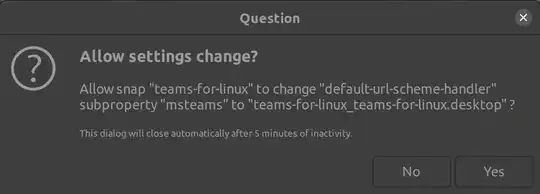
Dialog

Has anyone any idea of how to remove or prevent this dialog?

Alwin
  • 383
  • 3
  • 11

1 Answers1

3

@n0rbert gave me this hint in a different question.

Instead of the teams-for-linux snap, I just used the teams snap (or the teams-insiders snap). Both are also available in Ubuntu Software.

This solves the problem.

Alwin
  • 383
  • 3
  • 11
  • 1
    I, for one, would interested in the distinction between the two packages. – Nicholas Saunders Aug 16 '21 at 08:34
  • 1
    @NicholasSaunders [`teams-for-linux`](https://github.com/IsmaelMartinez/teams-for-linux) is an unofficial Microsoft Teams client for Linux using Electron. It uses the Web App and wraps it as a standalone application using Electron. `teams` and `teams-insiders` snaps are maintained by `msteam`. So far, I've seen that `teams-for-linux` has this annoying popup, but it supports gallery view and `teams` doesn't. I'll give a try to `teams-insiders` later. – GabLeRoux Oct 20 '21 at 14:56
  • 1
    Quick updated, I just tested `teams-insiders` and it doesn't support gallery mode either. Concerning `teams-for-linux`, I've opened an issue here: https://github.com/IsmaelMartinez/teams-for-linux/issues/471 and I'll try a different installation method as suggested in the comments. – GabLeRoux Oct 22 '21 at 13:58
  • Update 2: will be fixed in the `1.0.14` version of the `teams-for-linux` snap reference comment: https://github.com/IsmaelMartinez/teams-for-linux/issues/471#issuecomment-950274750 – GabLeRoux Oct 24 '21 at 14:30
  • Following on the distinction between the packages, other features that teams-for-linux offers (unlike the offical MS build for linux) are customizing background effects and ability to choose which window to share in screen sharing. – emre Aug 02 '23 at 11:10