Is there a graphical tool or maybe a command-line one that lists all the messages and parameters/arguments that I can send to a DBUS-enabled program?? I really want to try scripting some DBUS things but I can hardly find any documentation for the DBUS capabilities of most applications.
Asked
Active
Viewed 4.1k times

5 Answers


7
Another useful D-Bus debugging and profiling tool is Bustle.

Stephen M -on strike-
- 123
- 11

mgunes
- 9,780
- 3
- 41
- 43
-
1From the link, it looks like this cannot list potential commands, as per the question. – Sparhawk Aug 02 '14 at 12:16
7
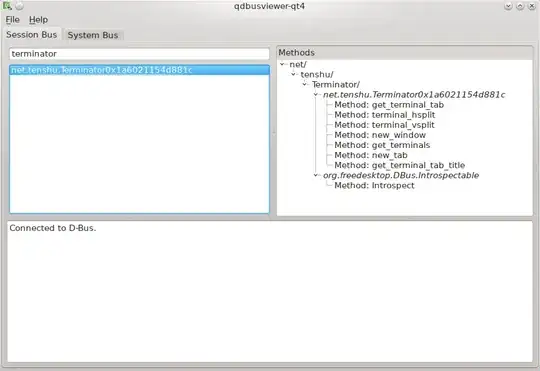
For Kubuntu users, KDE ships with qdbusviewer-qt4, which can list all available commands to all dbus clients.

Sparhawk
- 6,872
- 7
- 48
- 78
-
3for the newest distributions of kubuntu, use qdbusviewer which is from the qdbus-qt5 package (to access qdbus-qt5) and for the qdbusviewer itself you need qttools5-dev-tools. You can still get the old one in qt4-dev-tools if you must have qt4 compatibility. – osirisgothra Dec 06 '14 at 12:06
6
I've been using dbus-monitor, which is really useful. It provides a --profile mode, which provides a quick summary of all the signals bouncing around.

Erigami
- 4,456
- 5
- 27
- 42