0

I have a 16Gb flash drive, was working fine till it just someday stopped working, when i plug it the drivers are loaded, but i can't see it the "explorer" i went to "Disk managment" but this is what i get: disk
as u see the flash drive name is (Disque 1) (sorry it in French) and under F:

when i go to cmd and type: Formt F: i get Can not open volume for direct access. i even tried: chkdsk F: /F /X i got the same message

i tried to use the DiskPart utility, here s what i've done:

List disk Select Disk 1 Clean i get: Virtual Disk Service Error. There is no media in the device.

Does this means the my drive is broken forever? and there can't be a way to fix it?

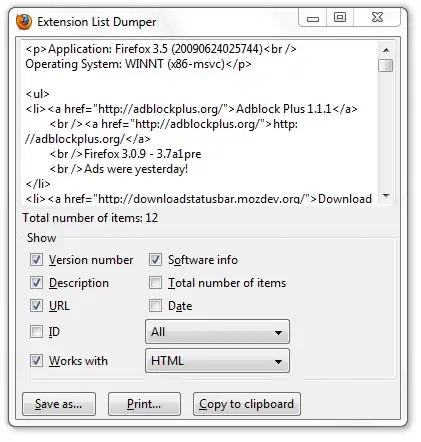
USBDeview properties: enter image description here
Ouerghi Yassine
  • 221
  • 3
  • 17

1 Answers1

0

The only way to know if it's broken is to use gnome-disk-utility with a Linux and mount the device.

If not, try to use gparted and see if the filesystem/partition have any errors.

Can you still see which sdX is your usb-key with gnome-disk-utility, is it even detected ?(also named Disks or palimpsest)

I suggest you to backup and format your usb drive with the dd command, to make your usb key completey erased.

X.LINK
  • 2,291
  • 5
  • 23
  • 33
  • i dont have linux for now, im not home, is there any other "windows" solution? – Ouerghi Yassine Oct 02 '14 at 12:49
  • Peut-etre, as-tu ouvert la "gestion de l'ordinateur" en mode administrateur ? Tu as deja pu avoir une lettre pour ta cle, mais tu ne peut pas voir le contenu, on dirait une erreur de partition. C'est ca qui est bizarre. – X.LINK Oct 02 '14 at 12:53
  • Edit: Did you opened the "manage" as an administrator (right click) ? It looks weird, since you still got a letter for your usb key (F:), but still can't see what's inside. It means that the partition is still here with your datas, but that it got problems. If you can have a Linux, it'll be much more easier to see what problems your partitions may have. – X.LINK Oct 02 '14 at 13:01