So when I was installing Windows 8 Pro (which came as an upgrade from a previous version of Windows) I created an account. Let's call it "DC". During the upgrade Windows used up quite a lot of space for that account: about 25 GB.
Now when Windows 8 is installed I went into the Control Panel / Users and removed the "DC" account. I also made sure to check the box to remove all of its files.
But when I go the "C:\Users\DC" folder on the hard drive, I see that the DC files are still there:

If I do its properties it shows that it still takes 25 GB of space, that I want to reclaim. (I have a 256 GB SSD, so as you see I can't waste that much space!)
I log in as a built-in administrator and try to delete those files (by deleting the "C:\Users\DC" folder in Windows Explorer.) After a quick investigation it turns out that the most of the space is used up by the "Windows.old" file. But no matter what I do, it always results in this window:
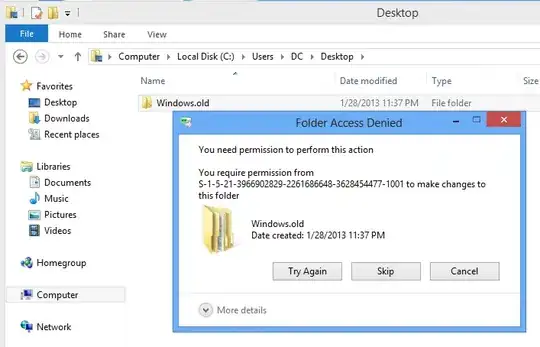
I tried booting in a safe mode and it still gave me the same error.
Any idea how to remove that "C:\Users\DC" folder?

