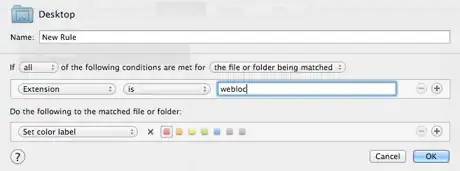
In Chrome, I use CommandS to save a webpage and another separate shortcut I created using Services (Automator) to label files red on the desktop (does not have specificity for .webloc files).
However, this is what I would like to do with one keyboard shortcut (either a Workflow or Service):
- Drag and drop the favicon onto desktop as
.weblocfile - Label it red
I would love to start learning how to use Automator more effectively for these tasks, and any help is very much appreciated.