How do you disable the zoom effect / window animations in the OS X Lion?
Asked
Active
Viewed 5,074 times
4

-
Which window animation? – Vervious Jul 20 '11 at 19:32
2 Answers
4
If you mean the new animations for opening and closing windows, they can be disabled with defaults write -g NSAutomaticWindowAnimationsEnabled -bool false.
Note that it makes the lookup popovers sometimes stay visible until windows are closed; sometimes showing them even makes applications crash.

Lri
- 40,894
- 7
- 119
- 157
3
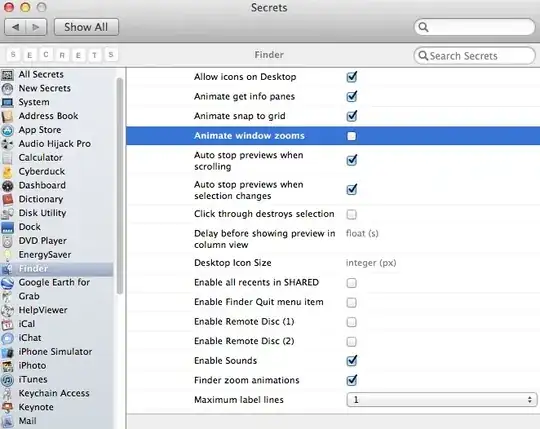
I Would recommend installing Secrets Pref Pane it gives you access to loads of hidden options in Mac OS X. you will find the "Animate Window Zooms" option under the "Finder" section.

Wez
- 186
- 2
- 11
-
That's basically the same as `defaults write -g NSAutomaticWindowAnimationsEnabled -bool false` mentioned in my answer – Lri Jan 01 '12 at 10:00
-
They both achieve the same thing yes, I find the prefpane is more convenient. – Wez Jan 01 '12 at 20:11